Chapter 96: Flux GitOps — Sources, Reconciliation and Safe Local Practice
96.10 Drift, prune and deletion safety
Fictional teaching story. At a fictional Akola workshop, Dev and Ella separate repainting the wrong colour from removing an old display entirely.
Why
Correcting a field and deleting a managed object carry different risks.
What
Track ownership, prior inventory and deletion intent.
How
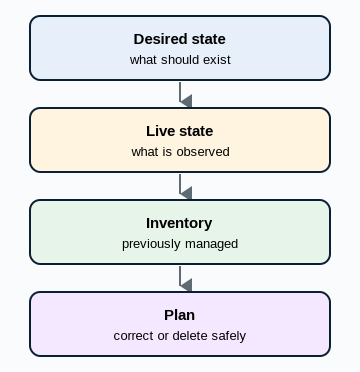
Drift is a difference from desired state
Drift is a mismatch between the reconciled desired state and observed resources. A suspended Kustomization does not keep correcting it. Git desired state may overwrite a manual field edit when reconciliation resumes.
Immediate practice example
- Read the example from top to bottom. Do not send it to a real cluster.
Desired ConfigMap colour: blue
Observed ConfigMap colour: red
Review decision: restore blue or approve green in Git
- Read the expected result.
Illustrative output: not executed by Flux, kubectl, Helm or Kubernetes.
A controller may restore a managed field instead of preserving a manual edit.
- Understand each line in plain English.
The first line is reviewed intent. The second is an observed difference. The last line describes two different operational choices. Field ownership and controller behaviour matter; our local dictionary comparison does not model Kubernetes managed fields, defaulting or admission policies.
Prune operates on previously managed inventory
Inventory records resources managed by a Flux Kustomization. Pruning can remove previously managed resources missing from its new desired state. It is not a command to delete every unrelated namespace object.
Immediate practice example
- Read the example from top to bottom. Do not send it to a real cluster.
Previous inventory: classroom-colour, old-banner
New desired names: classroom-colour
prune: true
Unrelated object: another-team-banner
- Read the expected result.
Illustrative output: not executed by Flux, kubectl, Helm or Kubernetes.
old-banner is a potential prune candidate; another-team-banner is not in this inventory.
- Understand each line in plain English.
The first two lines show the set difference. The third enables the demonstrated policy. The last line identifies an unrelated resource that this teaching inventory must not claim. Real Flux identity and deletion handling are richer. Never enable pruning on an unreviewed inventory or assume recovery of deleted data is automatic.
A prune exemption is not a universal backup
A prune exemption marks a resource to skip this garbage collection. A deletion policy controls behaviour when the Kustomization itself is deleted; this is a separate boundary.
Immediate practice example
- Read the example from top to bottom. Do not send it to a real cluster.
metadata:
  annotations:
    kustomize.toolkit.fluxcd.io/prune: disabled
- Read the expected result.
Illustrative output: not executed by Flux, kubectl, Helm or Kubernetes.
The annotated resource is excluded from this Flux Kustomization’s garbage collection.
- Understand each line in plain English.
This fragment belongs on the managed resource. The annotation value is the documented word disabled. It does not protect against every administrator, other controller or storage-loss event. prune: false is not a substitute for a backup and does not describe every possible Kustomization deletionPolicy. No deletion operation is executed here.
Ravindra Bagale's Tip
Review the inventory and recovery plan before enabling prune.
Prune चालू करण्याआधी inventory आणि recovery plan review करा.
Prune चालू करने से पहले inventory और recovery plan review करो.
Did you understand? Let us try it once more.