Ravi Sir's Cyber Security Cards › Revision Cards
Timing, Output Formats and Scan Hygiene
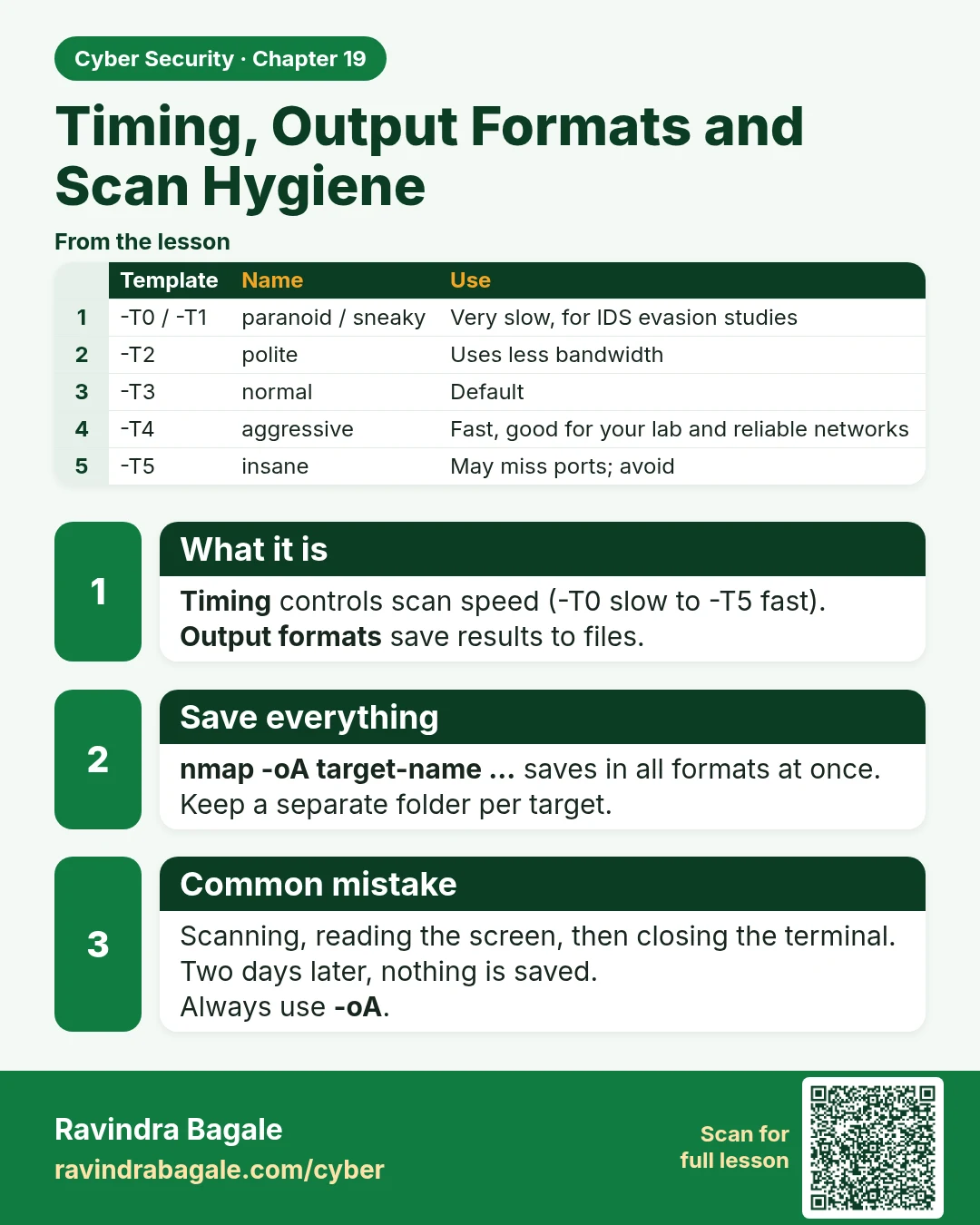
Timing, Output Formats and Scan Hygiene Timing controls scan speed (-T0 slow to -T5 fast). Output formats save results to files. nmap -oA target-name ... saves in all formats at once. Keep a separate folder per target. Scanning, reading the screen, then closing the terminal. Two days later, nothing
Read card text
What this card says
What it is
Timing controls scan speed (-T0 slow to -T5 fast). Output formats save results to files.
Save everything
nmap -oA target-name ... saves in all formats at once.
Keep a separate folder per target.
Common mistake
Scanning, reading the screen, then closing the terminal. Two days later, nothing is saved.
Always use -oA.
| Template | Name | Use |
|---|---|---|
| -T0 / -T1 | paranoid / sneaky | Very slow, for IDS evasion studies |
| -T2 | polite | Uses less bandwidth |
| -T3 | normal | Default |
| -T4 | aggressive | Fast, good for your lab and reliable networks |
| -T5 | insane | May miss ports; avoid |
Learn more in the lesson: 19.8 Timing, Output Formats and Scan Hygiene