Ravi Sir's Cyber Security Cards › Revision Cards
Reading Results: False Positives and Prioritising
Reading Results: False Positives and Prioritising How to read a scanner report and decide what to fix first. False positive : the tool flagged it, but it is not real. Severity : how bad it is, often from the CVSS score. Check the real installed version ( rpm -q or dpkg -l ), read the vendor advisory
Read card text
What this card says
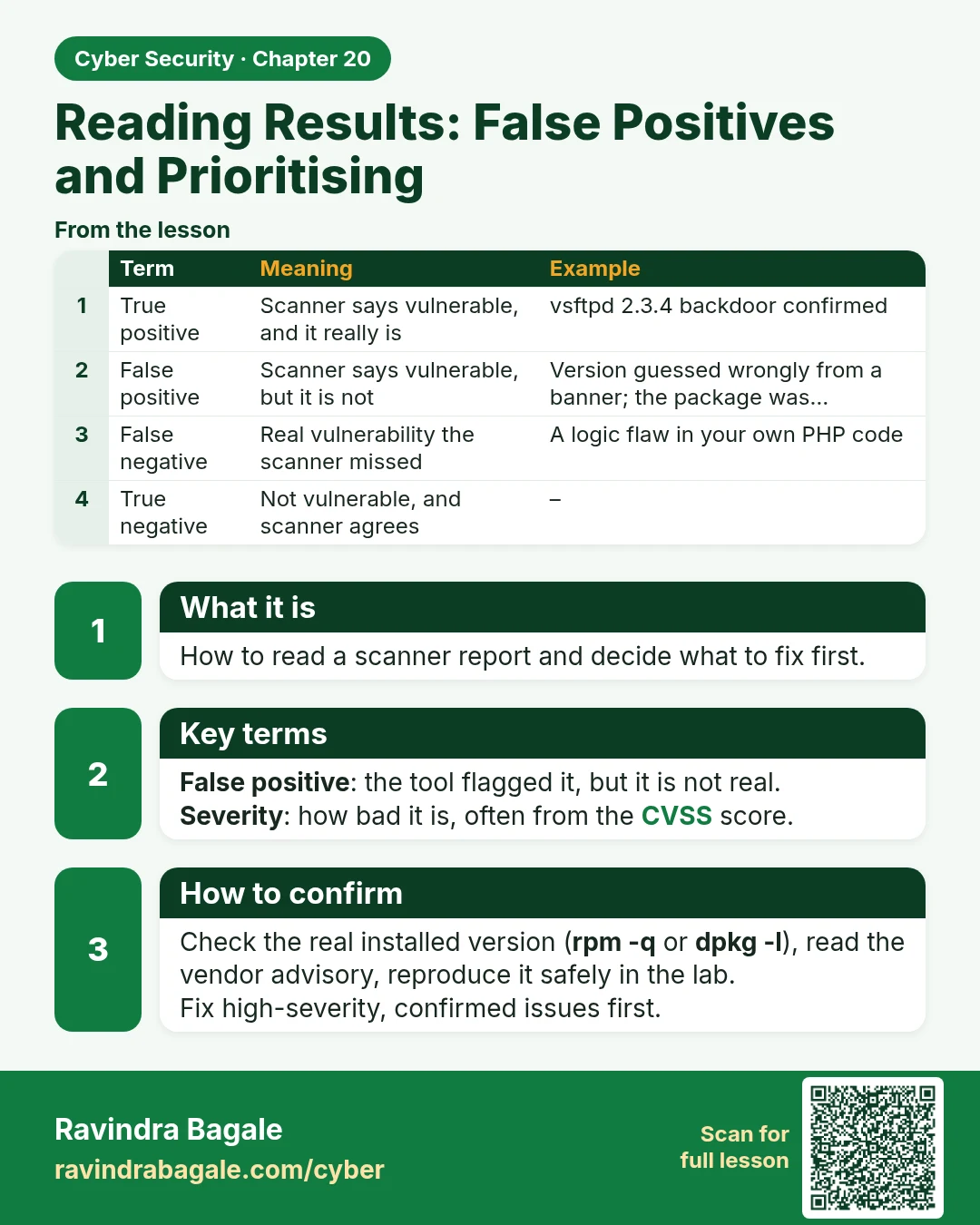
What it is
How to read a scanner report and decide what to fix first.
Key terms
False positive: the tool flagged it, but it is not real.
Severity: how bad it is, often from the CVSS score.
How to confirm
Check the real installed version (rpm -q or dpkg -l), read the vendor advisory, reproduce it safely in the lab.
Fix high-severity, confirmed issues first.
| Term | Meaning | Example |
|---|---|---|
| True positive | Scanner says vulnerable, and it really is | vsftpd 2.3.4 backdoor confirmed |
| False positive | Scanner says vulnerable, but it is not | Version guessed wrongly from a banner; the package was… |
| False negative | Real vulnerability the scanner missed | A logic flaw in your own PHP code |
| True negative | Not vulnerable, and scanner agrees | – |
Learn more in the lesson: 20.6 Reading Results: False Positives and Prioritising