Ravi Sir's Cyber Security Cards › Revision Cards
Reading an Nginx Server Block
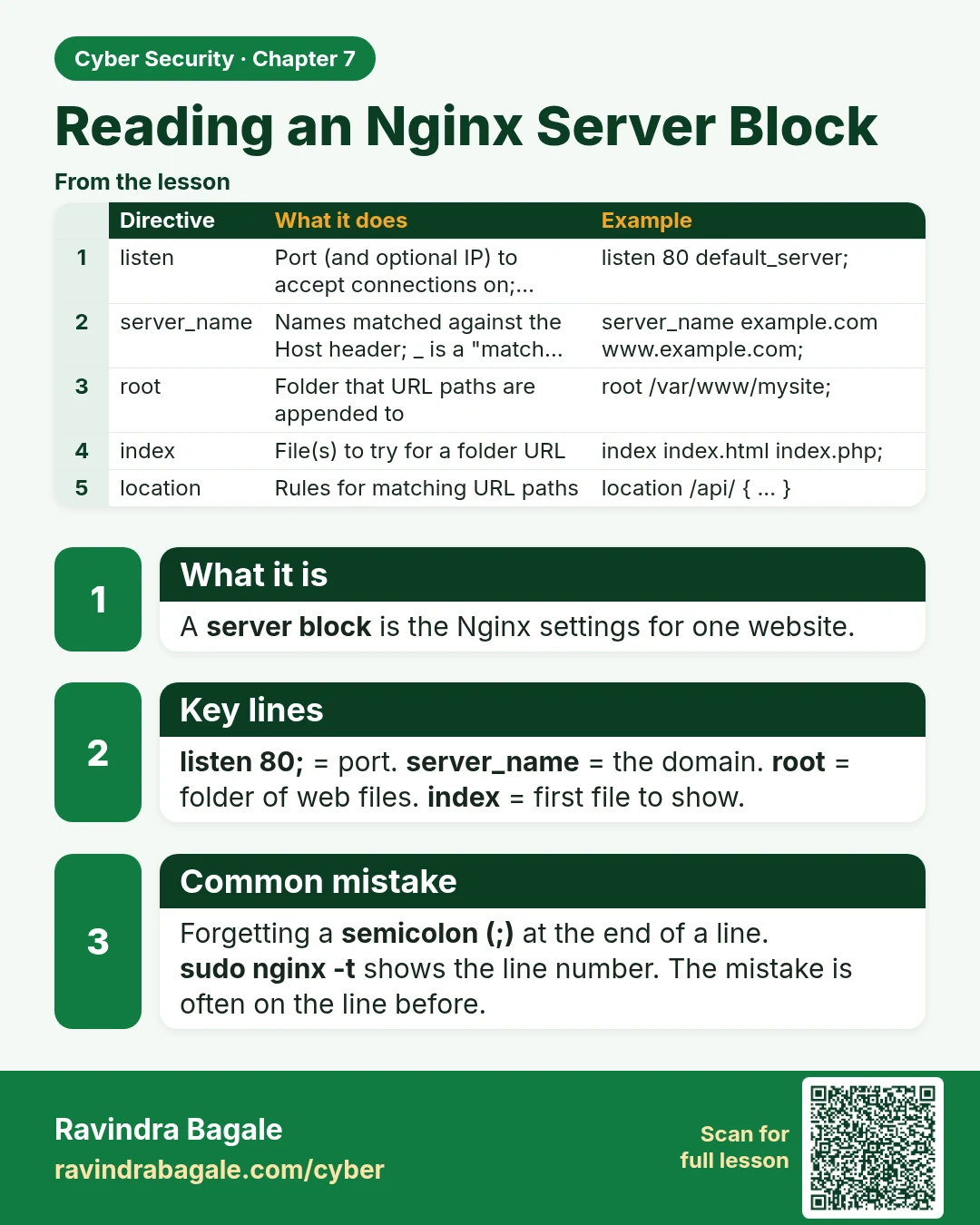
Reading an Nginx Server Block A server block is the Nginx settings for one website. listen 80; = port. server_name = the domain. root = folder of web files. index = first file to show. Forgetting a semicolon (;) at the end of a line. sudo nginx -t shows the line number. The mistake is often on the l
Read card text
What this card says
What it is
A server block is the Nginx settings for one website.
Key lines
listen 80; = port. server_name = the domain. root = folder of web files. index = first file to show.
Common mistake
Forgetting a semicolon (;) at the end of a line.
sudo nginx -t shows the line number. The mistake is often on the line before.
| Directive | What it does | Example |
|---|---|---|
| listen | Port (and optional IP) to accept connections on;… | listen 80 default_server; |
| server_name | Names matched against the Host header; _ is a "match… | server_name example.com www.example.com; |
| root | Folder that URL paths are appended to | root /var/www/mysite; |
| index | File(s) to try for a folder URL | index index.html index.php; |
| location | Rules for matching URL paths | location /api/ { ... } |
Learn more in the lesson: 7.5 Reading an Nginx Server Block