Ravi Sir's Cyber Security Cards › Revision Cards
Pipes, Redirection and Here-Documents
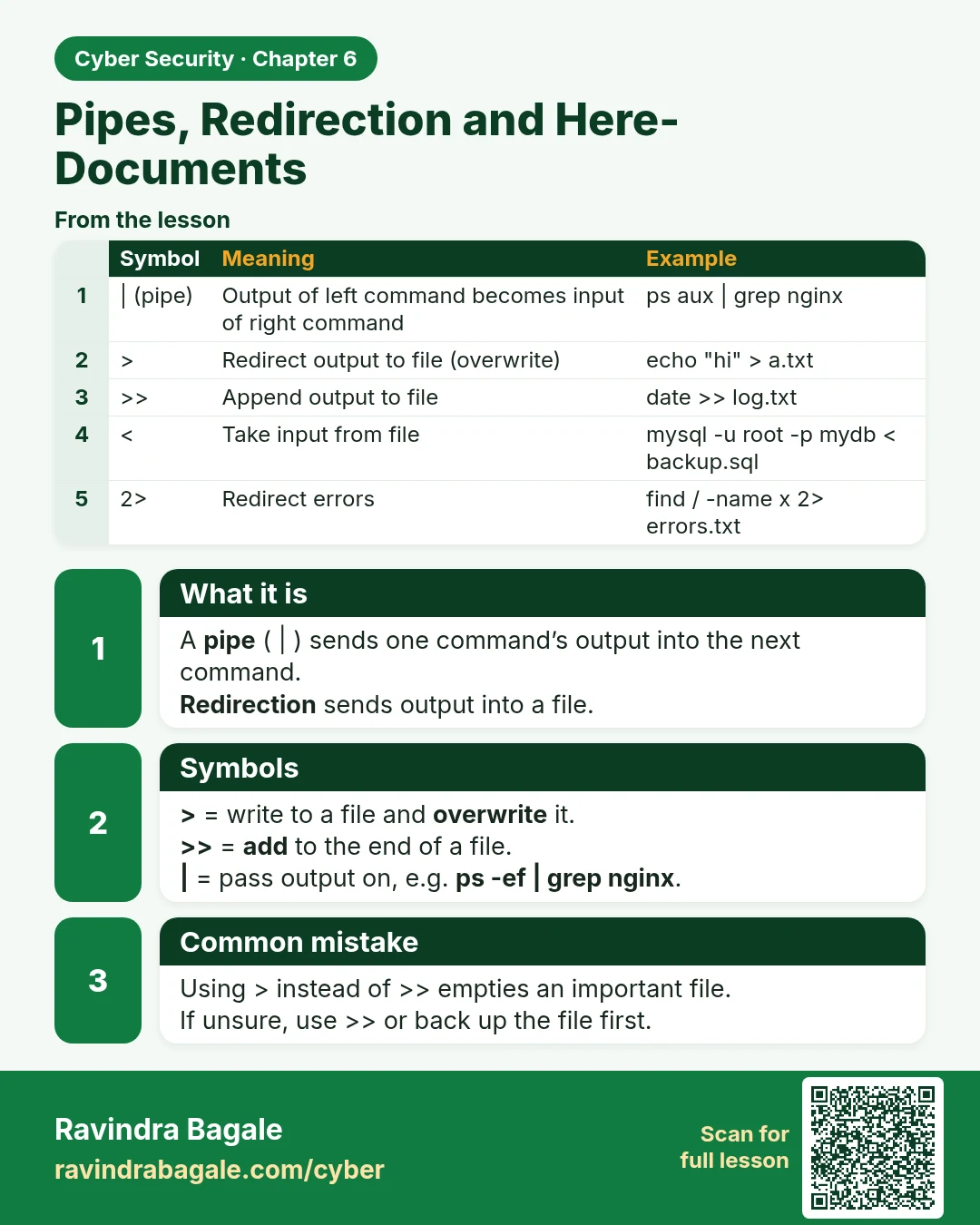
Pipes, Redirection and Here-Documents A pipe ( | ) sends one command’s output into the next command. Redirection sends output into a file. > = write to a file and overwrite it. >> = add to the end of a file. | = pass output on, e.g. ps -ef | grep nginx . Using > instead of >> empties an important fi
Read card text
What this card says
What it is
A pipe ( | ) sends one command’s output into the next command.
Redirection sends output into a file.
Symbols
> = write to a file and overwrite it.
>> = add to the end of a file.
| = pass output on, e.g. ps -ef | grep nginx.
Common mistake
Using > instead of >> empties an important file.
If unsure, use >> or back up the file first.
| Symbol | Meaning | Example |
|---|---|---|
| | (pipe) | Output of left command becomes input of right command | ps aux | grep nginx |
| > | Redirect output to file (overwrite) | echo "hi" > a.txt |
| >> | Append output to file | date >> log.txt |
| < | Take input from file | mysql -u root -p mydb < backup.sql |
| 2> | Redirect errors | find / -name x 2> errors.txt |
Learn more in the lesson: 6.4 Pipes, Redirection and Here-Documents