44.1 Capstone: Publish, Secure, Refresh and Share
Chala mitrano — chapters 37–43 were pieces. Today we stitch one Monday-ready lab: publish, secure, refresh before standup, share the App.
चला मित्रांनो — 37–43 तुकडे होते. आज एक Monday-ready lab जोडतो: publish, secure, standup आधी refresh, App share.
चला मित्रों — 37–43 टुकड़े थे। आज एक Monday-ready lab जोड़ते हैं: publish, secure, standup से पहले refresh, App share।
- Write success criteria for an end-to-end Service lab.
- Publish to a shared workspace with least privilege.
- Configure credentials/gateway and a pre-standup refresh.
- Assign RLS groups and Test as role.
- Publish an App and a post-refresh subscription.
- Tell a 90-second interview capstone story.
Start with a problem (fictional). Training wants proof, not slides. Priya Deshmukh runs a Saturday lab with fictional Nashik–Pune–Nagpur cities and ₹ KPIs. By noon the App works, RLS holds, refresh is green at 06:45 IST pattern, and a test subscription lands. Monday standup finally trusts the numbers.
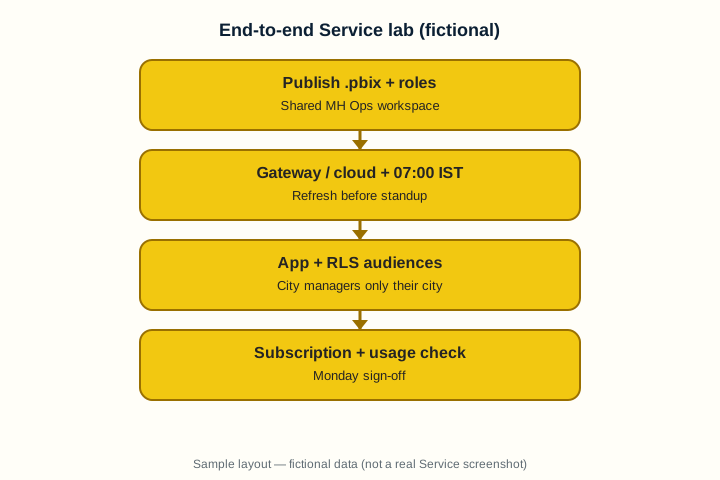
1. Lab setup and success criteria
Why: Without a written definition of done, “almost live” lasts forever.
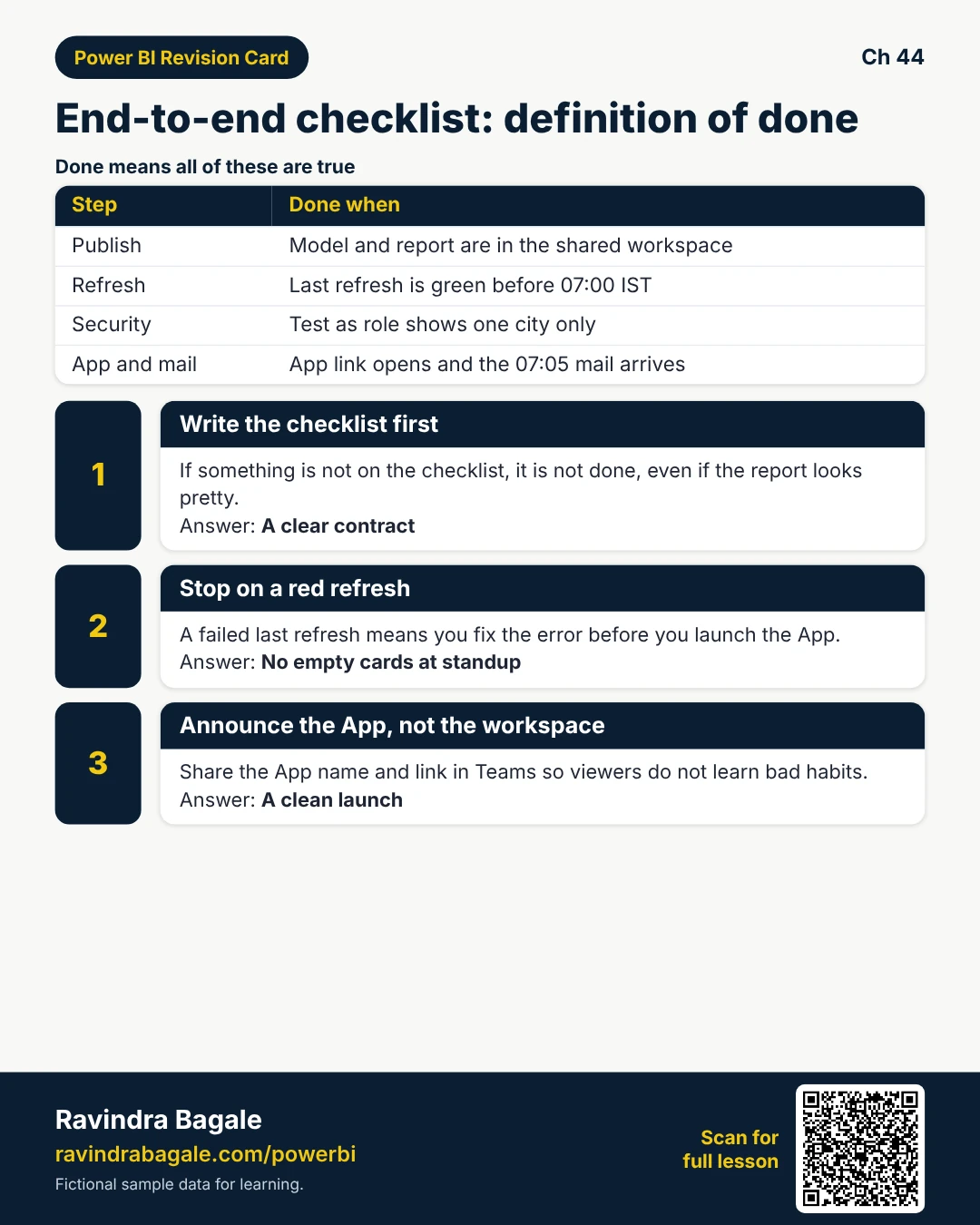
What: Success: Viewer city manager sees only their city; card refresh by 07:00 IST; App link works; subscription mail arrives 07:05.
How — write the contract:
Vertical steps (one under another)
- Create or use shared workspace MH Ops Lab.
- Prepare Desktop model with City + UserCity map + role.
- Write success criteria on a one-page checklist.
- Name owners: data, gateway, App.
- Schedule the lab window (example Saturday 10:00–12:00 IST).
Tiny example: Checklist header (fictional): “Done = Test as role Nashik-only + green refresh + App open + mail received.”
Ravindra Bagale's Tip
Friends, if it is not on the checklist, it is not done — even if the report looks pretty.
Ravindra Bagale's Tip – मराठी
मित्रांनो, checklist वर नसेल तर झाले नाही — report सुंदर असली तरी.
Ravindra Bagale's Tip – हिंदी
दोस्तों, checklist पर नहीं तो पूरा नहीं — report सुंदर हो तो भी।
2. Publish and workspace roles
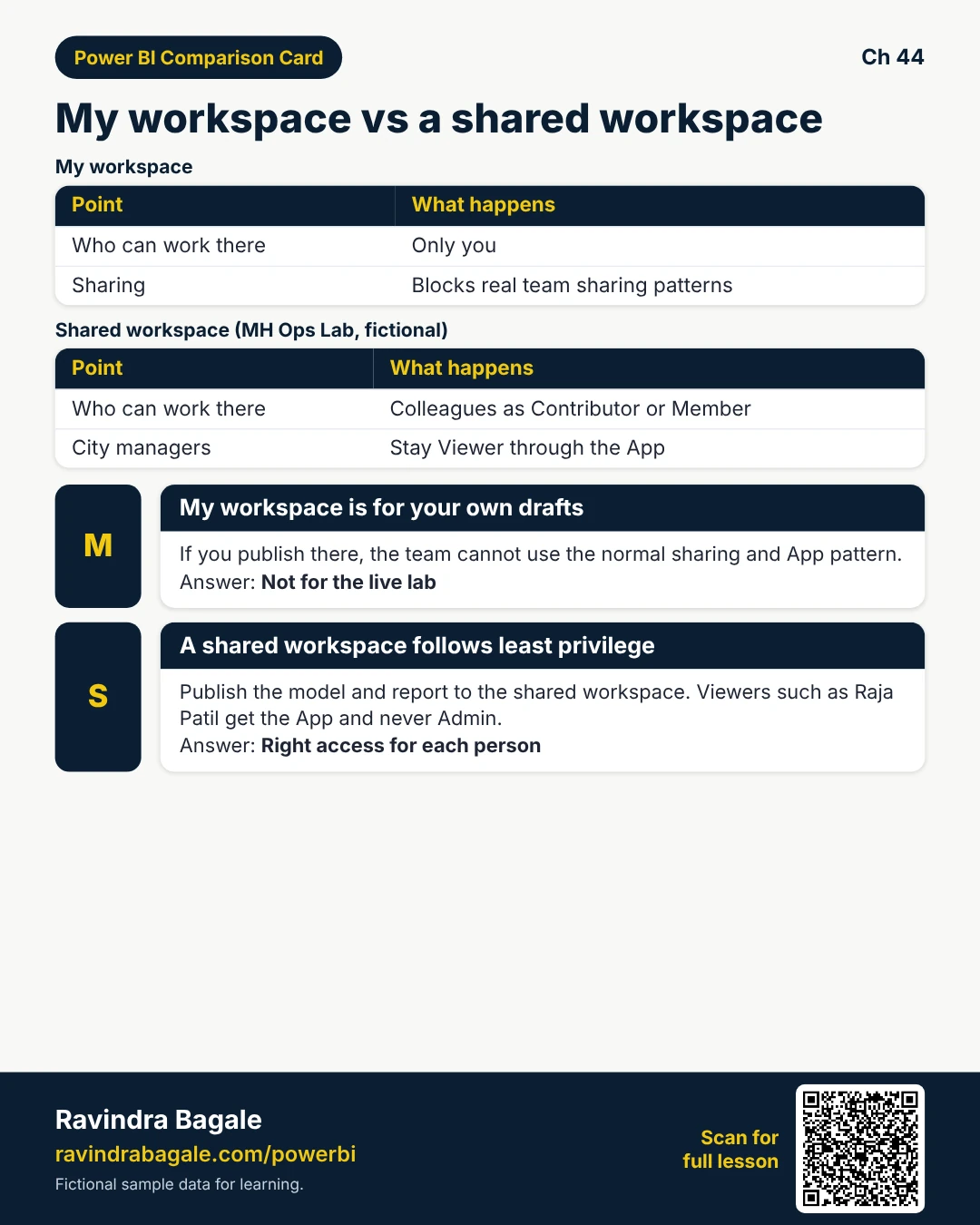
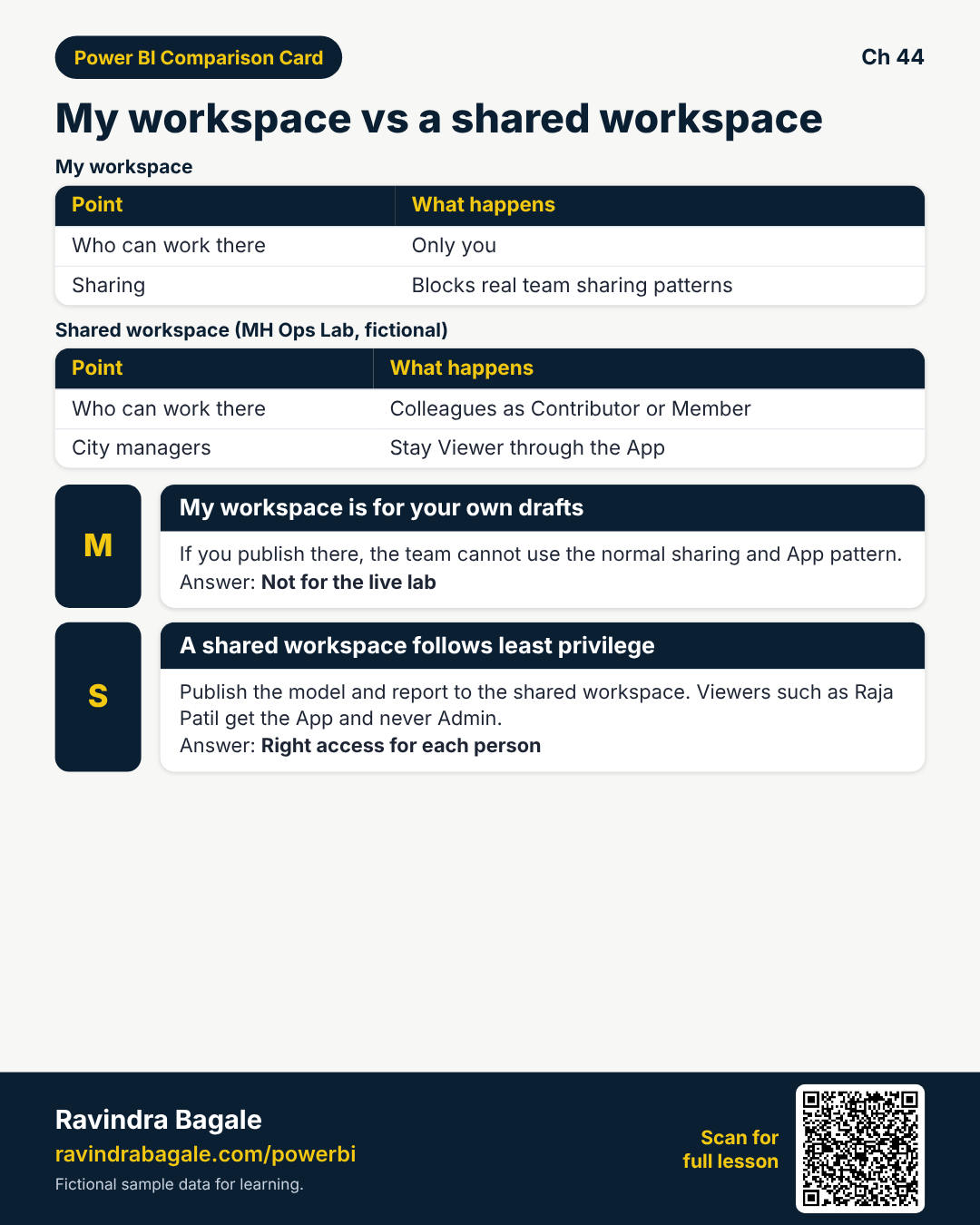
Why: Publishing to My workspace blocks real sharing patterns.
What: Publish to the shared workspace; keep city managers off Admin.
How — publish with least privilege:
Vertical steps (one under another)
- Desktop, then Publish, then MH Ops Lab.
- Confirm semantic model + report landed.
- Add colleagues as Contributor/Member as needed; managers stay Viewer via App.
- Remove accidental Admin on viewer UPNs.
- Record the workspace URL.
Tiny example: Raja Patil (fictional) is App audience only — never workspace Admin.
Ravindra Bagale's Tip
Friends, least privilege: viewers get App, not workspace Admin.
Ravindra Bagale's Tip – मराठी
मित्रांनो, Viewer ला App — workspace Admin नाही.
Ravindra Bagale's Tip – हिंदी
दोस्तों, Viewer को App — workspace Admin नहीं।
3. Gateway / cloud credentials and 07:00 IST refresh
Why: Empty cards at standup destroy trust.
What: Configure credentials, gateway if on-prem, schedule before 07:00 IST.
How — make refresh boring (in a good way):
Vertical steps (one under another)
- Semantic model, then Settings, then data source credentials.
- Install/map gateway if SQL/folder is on-prem.
- Schedule refresh 06:45 IST weekdays.
- Run Refresh now; confirm Last refresh success.
- If failure, read error — fix before App launch.
Tiny example: On-prem SQL via gateway cluster; cloud SharePoint list uses OAuth (fictional lab mix).
Ravindra Bagale's Tip
Friends, a red Last refresh is a stop sign — do not launch the App yet.
Ravindra Bagale's Tip – मराठी
मित्रांनो, लाल Last refresh म्हणजे थांबा — App launch करू नका.
Ravindra Bagale's Tip – हिंदी
दोस्तों, लाल Last refresh मतलब रुको — App launch न करें।
4. RLS assignment and Test as role
Why: Role DAX in Desktop is not enough — Service assignment matters.
What: Assign security groups to roles; Test as role with a real UPN.
How — prove the filter:
Vertical steps (one under another)
- Model, then Security, then add role members (groups).
- Test as role, then enter city manager UPN.
- Confirm only one city appears.
- Fix map table if empty.
- Retest after next refresh.
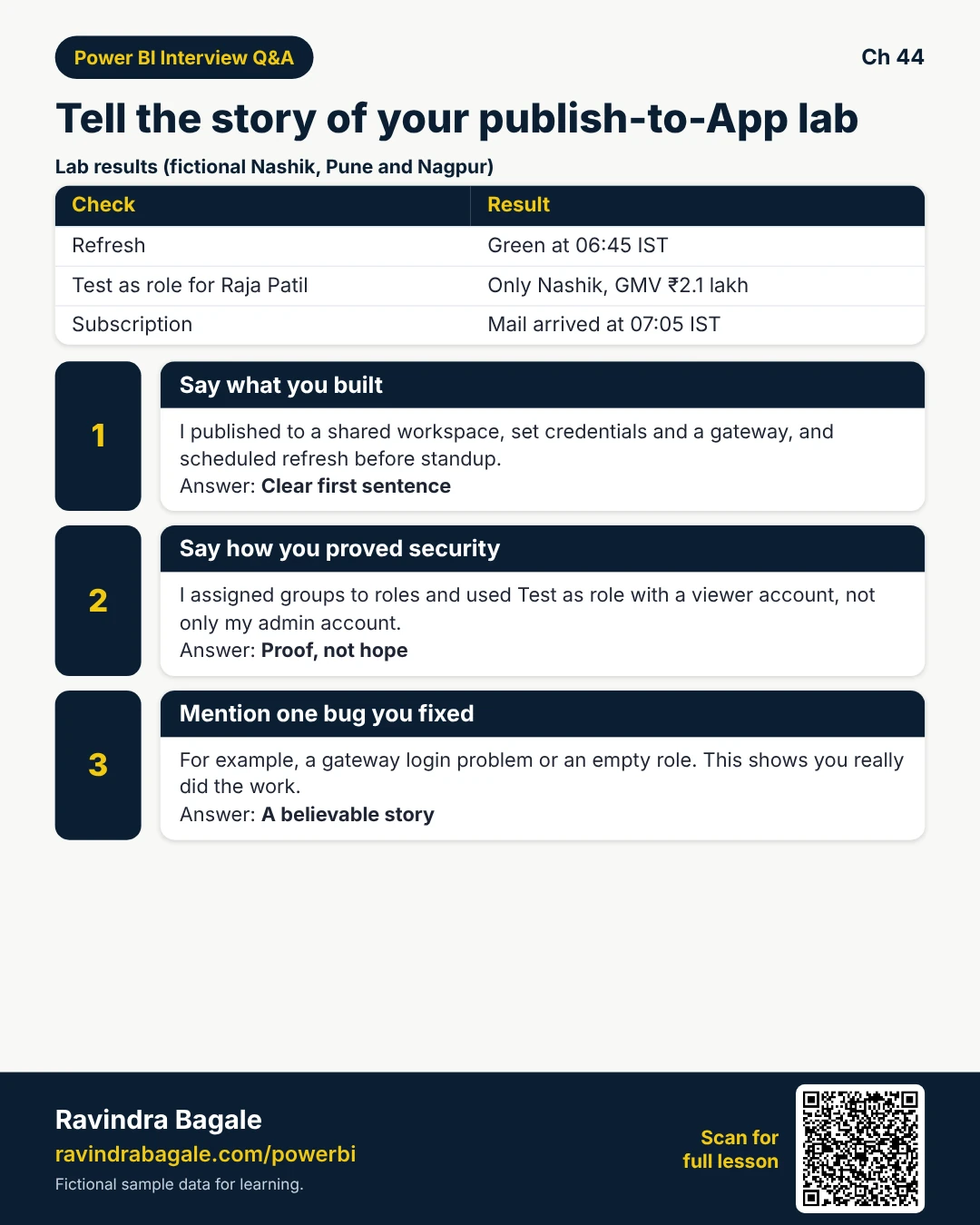
Tiny example: Test as role with raja.patil@contoso.example shows only Nashik GMV ₹2.1L (fictional).
Ravindra Bagale's Tip
Friends, Admins may bypass RLS — test with a Viewer-style UPN, not your Admin account alone.
Ravindra Bagale's Tip – मराठी
मित्रांनो, Admin RLS bypass करू शकतो — Viewer-style UPN ने टेस्ट करा.
Ravindra Bagale's Tip – हिंदी
दोस्तों, Admin RLS bypass कर सकता है — Viewer-style UPN से टेस्ट करें।
5. App audiences and subscription
Why: Workspace access is not the same as a polished App experience.
What: Build App, audiences by city group if needed, subscribe after refresh.
How — ship the reader experience:
Vertical steps (one under another)
- Create App, then add report, then publish.
- Audience: MH City Managers group.
- Share App link; open in private window as test user.
- Subscribe page 07:05 IST to yourself first.
- Then add the group; announce in Teams.
Tiny example: Teams message (fictional): “App MH Ops Live — open this link, not the workspace.”
Ravindra Bagale's Tip
Friends, announce the App name — raw workspace URLs train bad habits.
Ravindra Bagale's Tip – मराठी
मित्रांनो, App नाव सांगा — workspace URL सवय खराब करते.
Ravindra Bagale's Tip – हिंदी
दोस्तों, App नाम बताएं — workspace URL आदत खराब करती है।
6. Sign-off and interview story
Why: You need a story you can tell in interviews and to your manager.
What: Walk the checklist: publish, then credentials, then refresh, then RLS → App, then subscription, then usage Monday.
How — close the lab:
Vertical steps (one under another)
- Tick every success criterion.
- Save screenshots of Last refresh and Test as role (no real secrets).
- Note one issue you fixed (gateway auth, blank role).
- Plan Monday usage glance.
- Write a 90-second interview narrative.
Tiny example: Interview close: “I published to shared workspace, proved RLS as role, refresh before standup, App for viewers.”
Ravindra Bagale's Tip
Friends, mention one bug you fixed — it proves you were really there.
Ravindra Bagale's Tip – मराठी
मित्रांनो, एक bug सांगा जो तुम्ही फिक्स केला — खरेपणा दिसतो.
Ravindra Bagale's Tip – हिंदी
दोस्तों, एक bug बताएं जो आपने ठीक किया — असलियत दिखती है।
Quiz (5 questions)
1. Capstone success includes:
2. Refresh should be scheduled:
3. Test as role proves:
4. App audiences are for:
5. Least privilege means:
Practice tasks (12) — hints only, no full answers
- Task. Write five success criteria for the lab.
Hint: section 1. - Task. List publish steps into MH Ops Lab.
Hint: section 2. - Task. Draft gateway vs cloud credential choice for SQL vs SharePoint.
Hint: section 3. - Task. Schedule: dataflow 06:30, model 06:45, mail 07:05 IST — justify.
Hint: order. - Task. Service steps to assign a group to an RLS role.
Hint: section 4. - Task. What do you look for in Test as role?
Hint: one city. - Task. App publish + audience bullets.
Hint: section 5. - Task. Why self-test subscription before the whole group?
Hint: bad blast. - Task. 90-second interview story outline.
Hint: section 6. - Task. Name one failure you might see on first refresh.
Hint: credentials. - Task. Monday after go-live — what do you check?
Hint: usage / errors. - Task. Who must not be Admin in this lab?
Hint: city manager viewers.
Ravi Sir's cards (Excel card style)
Standalone cards — no tip or photo sections. QR points to this lesson. Download PNG to revise offline.
Think like a professional
In a real tenant, rights and sharing are controlled by Fabric / Power BI admins. Always follow your company policy. This lesson uses fictional people and numbers so you can practise the ideas safely.