43.1 Licensing, Capacity, Fabric and Admin Basics
Chala mitrano — wrong licence plans block sharing on Monday. Separate authors from viewers, know capacity vs Pro, skim Fabric, and escalate tenant switches.
चला मित्रांनो — चुकीची licence योजना सोमवारी sharing अडवते. Authors आणि viewers वेगळे करा, capacity vs Pro जाणा, Fabric नकाशा, tenant switches escalate करा.
चला मित्रों — गलत licence योजना सोमवार को sharing रोकती है। Authors और viewers अलग करें, capacity vs Pro जानें, Fabric नक्शा, tenant switches escalate करें।
- Contrast Free, Pro, and PPU at a practical level.
- Explain when capacity helps many viewers.
- Give a one-page Fabric overview without buzzword panic.
- Name tenant admin concerns like Publish to web.
- Prepare a licence conversation with finance and Cloud.
- Deliver a clear interview licence ladder.
Start with a problem (fictional). Finance lead Ananya Iyer asks why 200 city managers each need Pro. Cloud says capacity might help viewers. A blog comments “just use Fabric” and confuses the team. Priya separates authors vs viewers, checks current docs, and books a 30-minute Cloud call — no purchase from a rumour.
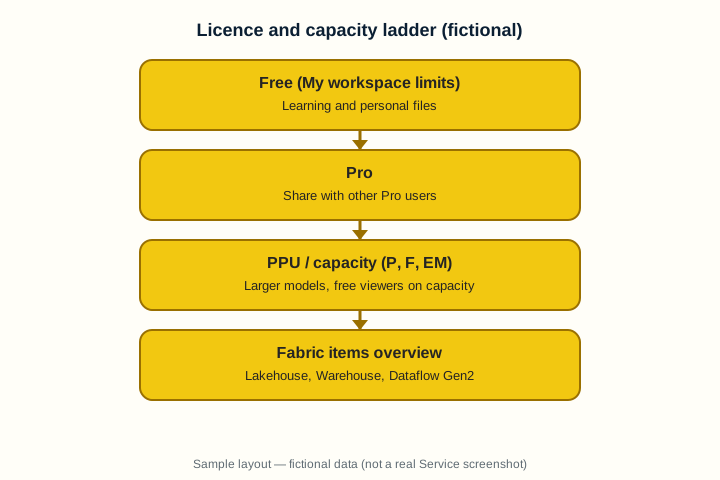
1. Free, Pro, PPU — what changes for sharing
Why: A Free user cannot freely share into the collaboration pattern most teams expect.
What: Pro is the common per-user licence to publish and share with other Pro users. PPU unlocks some premium features per user. Always re-check Microsoft’s current matrix — it evolves.
How — think before you promise:
Vertical steps (one under another)
- List who authors vs who only views.
- If everyone authors/shares peer-to-peer, plan Pro (or higher) for those people.
- If hundreds only view Apps, ask whether capacity makes sense.
- Never promise “Free can do everything” — test with a real guest account.
- Re-read Microsoft’s current licence matrix before buying.
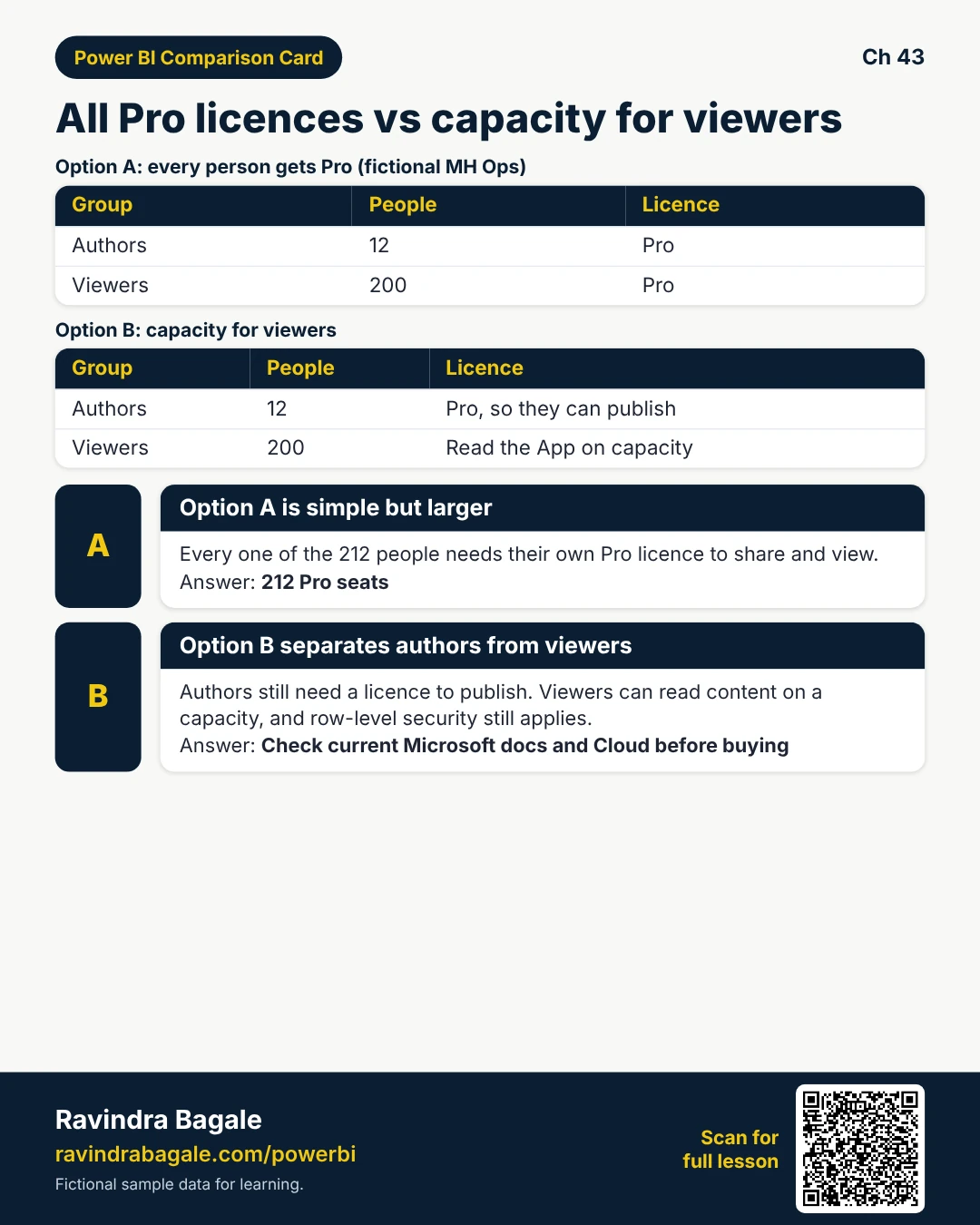
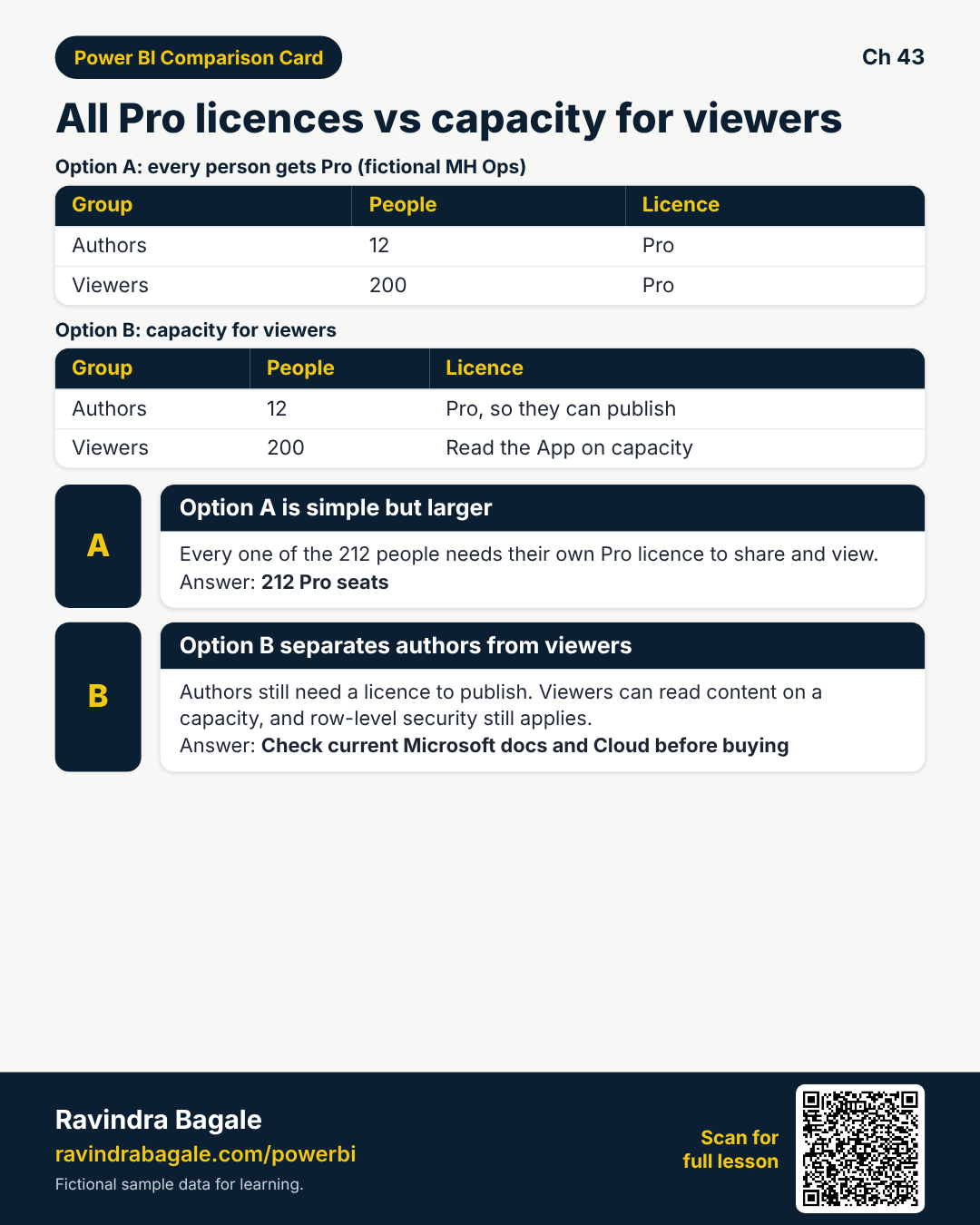
Tiny example: 12 authors + 200 viewers (fictional MH Ops) is a different bill than 212 Pro seats.
Ravindra Bagale's Tip
Friends, this chapter teaches thinking, not a price list — verify current Microsoft docs.
Ravindra Bagale's Tip – मराठी
मित्रांनो, ही किंमत यादी नाही — सध्याचे Microsoft docs तपासा.
Ravindra Bagale's Tip – हिंदी
दोस्तों, यह मूल्य सूची नहीं — वर्तमान Microsoft docs जाँचें।
2. Capacity mindset (overview)
Why: Leadership asks why viewers still need Pro on every report.
What: Content on a capacity can be viewed under capacity rules; admins assign workspaces to a capacity (SKU names change — learn the idea).
How — ask the right questions:
Vertical steps (one under another)
- Know which workspaces are on shared capacity vs Pro-only.
- Move the Prod App workspace to capacity only with Cloud/admin approval.
- Watch refresh concurrency and model size limits for your SKU.
- Keep Dev on a smaller footprint when possible.
- Document who pays and who owns the capacity.
Tiny example: MH Prod App on capacity (fictional) so 200 city viewers read without individual Pro — authors still licensed to publish.
Ravindra Bagale's Tip
Friends, capacity does not delete RLS — security still matters.
Ravindra Bagale's Tip – मराठी
मित्रांनो, capacity RLS काढत नाही — security अजून हवी.
Ravindra Bagale's Tip – हिंदी
दोस्तों, capacity RLS नहीं हटाता — security अभी भी चाहिए।
3. Fabric overview in one page
Why: Buzzwords scare beginners; you need a calm map.
What: Microsoft Fabric brings analytical items (Lakehouse, Warehouse, Dataflow Gen2, notebooks, …) beside Power BI. Power BI remains how many people consume.
How — keep the map small:
Vertical steps (one under another)
- Remember: Power BI reports can sit on Fabric capacities.
- Dataflow Gen2 / Lakehouse may replace some classic patterns — learn when your tenant has them.
- Do not rewrite every model on day one of Fabric.
- Keep RLS, Apps, and refresh discipline — they still matter.
- Ask Training which Fabric items your company enables.
Tiny example: Training note (fictional): “We enable Dataflow Gen2 this quarter; lakehouse next — don’t migrate blindly.”
Ravindra Bagale's Tip
Friends, Fabric is a platform map — not a reason to throw away working Apps overnight.
Ravindra Bagale's Tip – मराठी
मित्रांनो, Fabric platform नकाशा आहे — चालणारे Apps रात्री फेकण्याचे कारण नाही.
Ravindra Bagale's Tip – हिंदी
दोस्तों, Fabric platform नक्शा है — चलते Apps रात भर फेंकने का कारण नहीं।
4. Admin basics you will hear in meetings
Why: Someone must turn on features and block Publish to web.
What: Power BI / Fabric admin portal settings control tenant switches, export, embed, and trial behaviour.
How — know your lane:
Vertical steps (one under another)
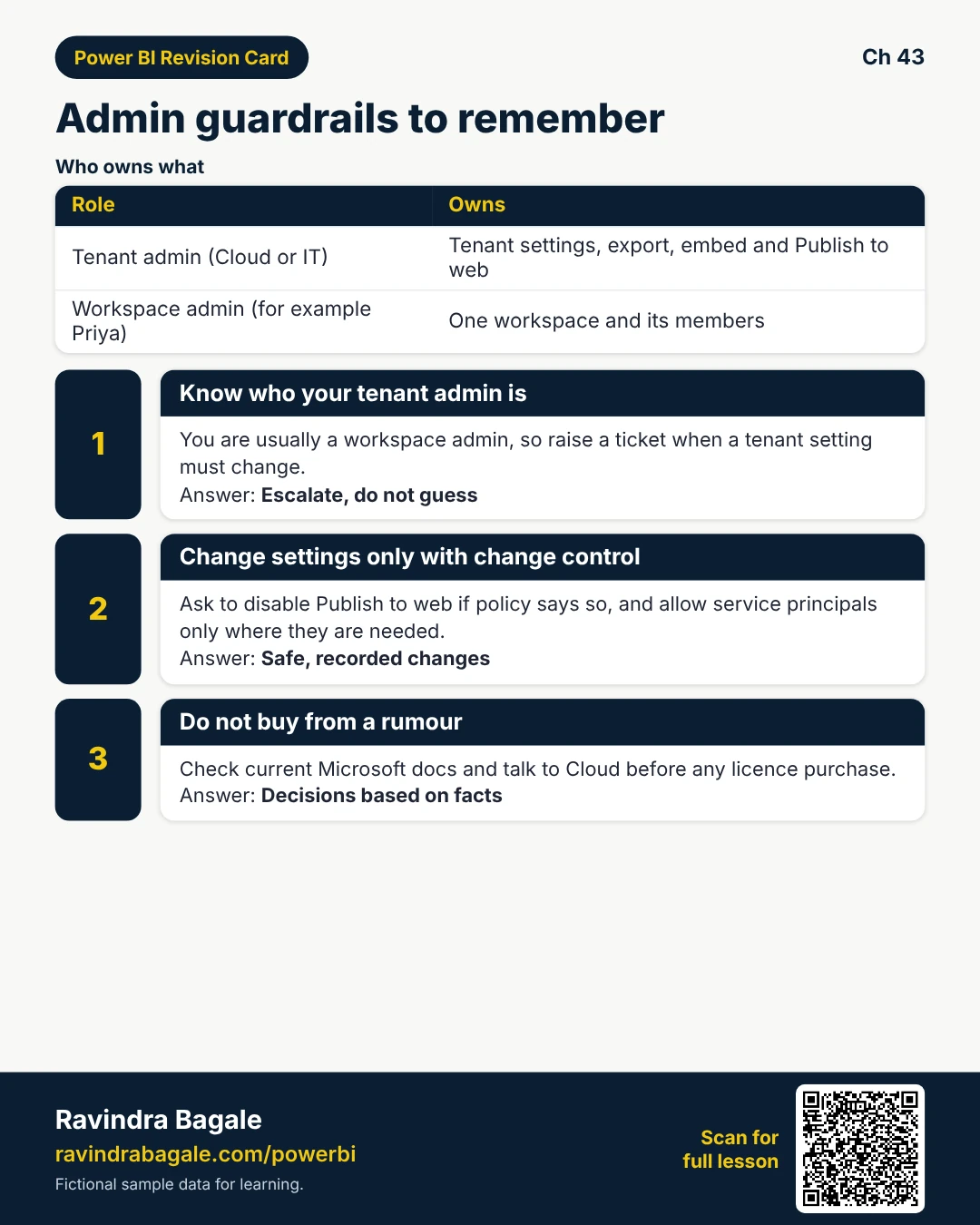
- Know who your tenant admin is (often Cloud/IT).
- Request: disable Publish to web if policy says so.
- Request: allow service principals only where needed.
- Understand that workspace creation may be limited.
- Never change tenant settings without change control.
Tiny example: Priya is workspace admin — she escalates Publish to web disable to Cloud with a ticket.
Ravindra Bagale's Tip
Friends, you are usually a workspace admin, not the tenant admin — escalate.
Ravindra Bagale's Tip – मराठी
मित्रांनो, तुम्ही सहसा workspace admin — tenant admin नाही; escalate करा.
Ravindra Bagale's Tip – हिंदी
दोस्तों, आप अक्सर workspace admin हैं — tenant नहीं; escalate करें।
5. Worked example — licence conversation with finance
Why: Finance wants costs; Ops wants city managers viewing Apps.
What: Separate author licences from viewer strategy; write assumptions.
How — run the meeting:
Vertical steps (one under another)
- Count authors who publish (need Pro/PPU as applicable).
- Count viewers of Prod App.
- Option A: all Pro. Option B: capacity + fewer author licences.
- List risks (SKU limits, admin overhead).
- Schedule a 30-minute call with Cloud before purchase.
Tiny example: Slide (fictional): 12 authors Pro, 200 viewers via capacity — pending Cloud SKU check.
Ravindra Bagale's Tip
Friends, never buy from a WhatsApp forward — Cloud + current docs only.
Ravindra Bagale's Tip – मराठी
मित्रांनो, WhatsApp forward वरून खरेदी करू नका — Cloud + docs.
Ravindra Bagale's Tip – हिंदी
दोस्तों, WhatsApp forward से खरीद न करें — Cloud + docs।
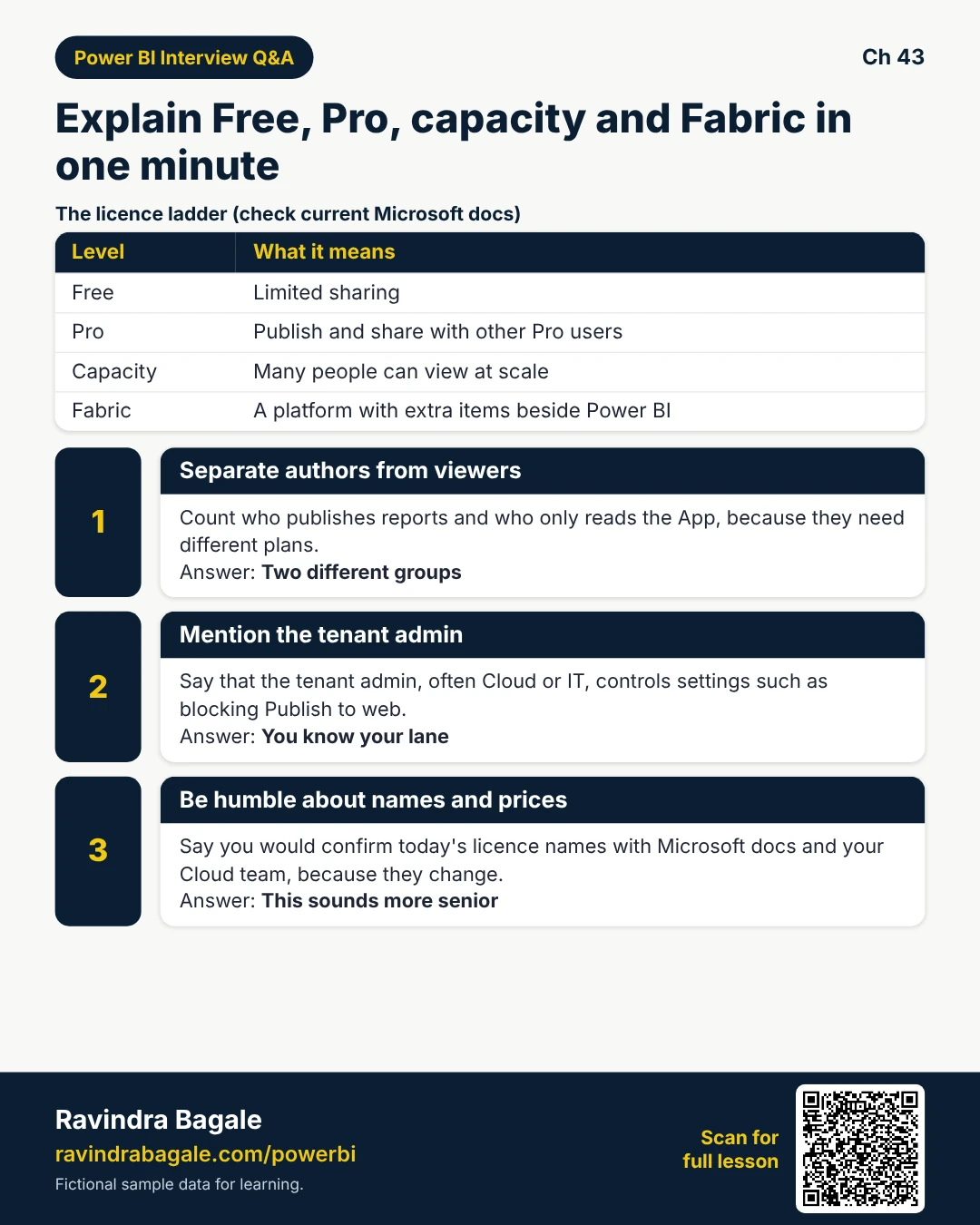
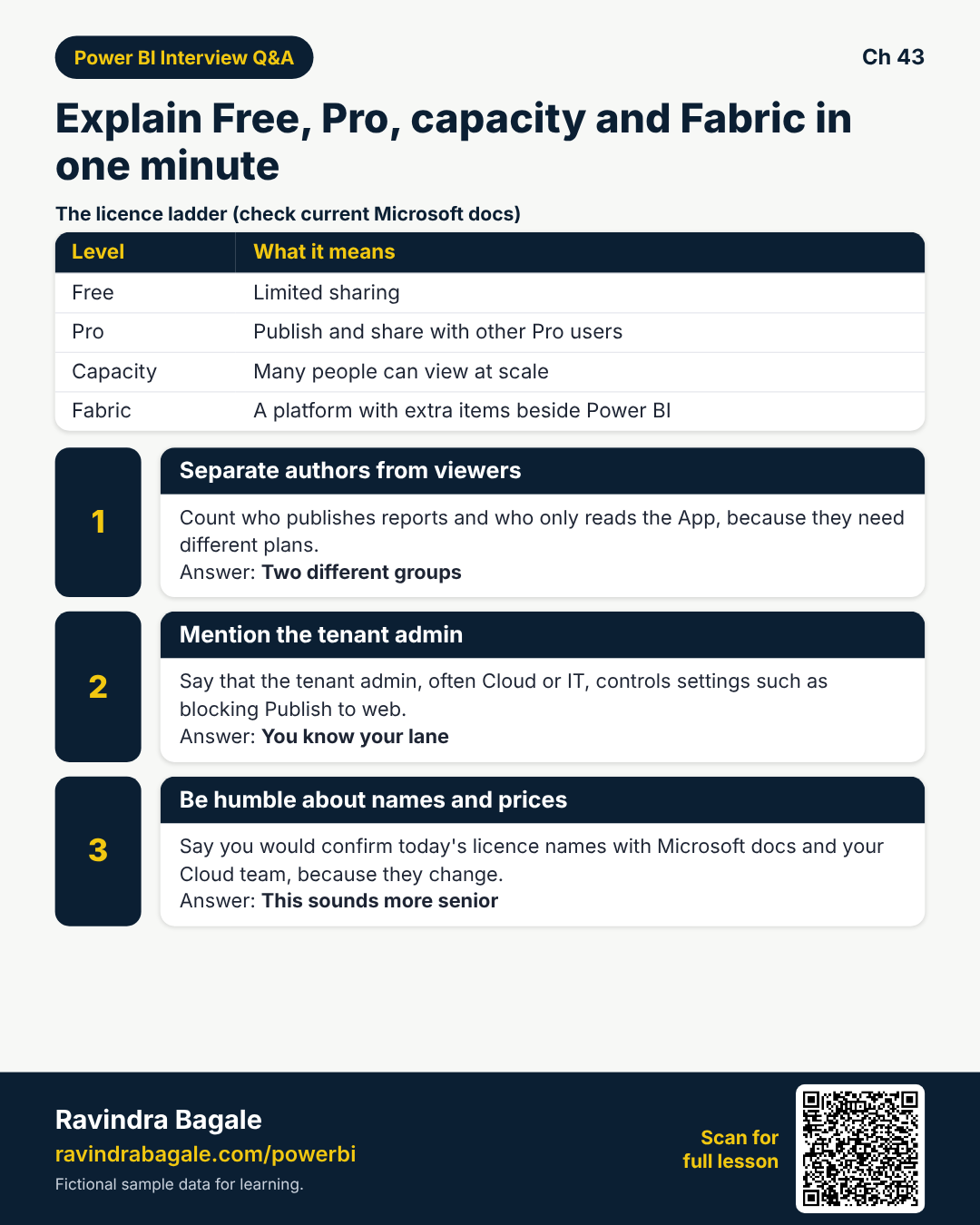
6. Interview lines
Why: They ask Free vs Pro vs Premium/capacity in one minute.
What: Free: limited sharing. Pro: peer share. Capacity: scale viewing. Fabric: platform extras. Always check current docs.
How — practise sixty seconds:
Vertical steps (one under another)
- Say you verify docs — licences evolve.
- Separate authors and viewers.
- Mention tenant admin for Publish to web.
- Admit when you escalate to Cloud.
- Tie answer to a real App audience size.
Tiny example: Good close: “I’d confirm today’s SKU names with Microsoft docs and our Cloud team.”
Ravindra Bagale's Tip
Friends, humility about changing SKUs sounds more senior than fake certainty.
Ravindra Bagale's Tip – मराठी
मित्रांनो, SKU बदलतात हे मानणे junior वाटत नाही — खोटे certainty वाईट.
Ravindra Bagale's Tip – हिंदी
दोस्तों, SKU बदलते हैं यह मानना junior नहीं — झूठा certainty बुरा।
Quiz (5 questions)
1. Pro licence mainly helps with:
2. Capacity is often discussed when:
3. Fabric overview lesson:
4. Tenant admin settings include things like:
5. Before buying licences you should:
Practice tasks (12) — hints only, no full answers
- Task. Table: Free / Pro / capacity — one line each.
Hint: sections 1-2. - Task. Count authors vs viewers for a fictional 12/200 org.
Hint: section 5. - Task. Why verify Microsoft docs each year?
Hint: licences change. - Task. List two tenant switches Cyber may care about.
Hint: Publish to web. - Task. Fabric: name two item types besides Power BI reports.
Hint: section 3. - Task. Interview 60-second Free vs Pro vs capacity.
Hint: section 6. - Task. When do you escalate vs change a tenant switch yourself?
Hint: section 4. - Task. Risk of moving Prod to capacity without approval?
Hint: Cloud change control. - Task. Why Dev might stay off the biggest capacity.
Hint: cost / blast radius. - Task. Draft three questions for a licence meeting.
Hint: authors viewers SKU. - Task. Does capacity remove the need for RLS?
Hint: no. - Task. What is PPU in one sentence?
Hint: premium features per user.
Ravi Sir's cards (Excel card style)
Standalone cards — no tip or photo sections. QR points to this lesson. Download PNG to revise offline.
Think like a professional
In a real tenant, rights and sharing are controlled by Fabric / Power BI admins. Always follow your company policy. This lesson uses fictional people and numbers so you can practise the ideas safely.