42.1 Subscriptions, Alerts, Teams, Excel and Embedding
Chala mitrano — managers will not live in the Service all day. Push the 07:05 IST PDF, alert when stock dips, pin Teams, pivot in Excel — without Publish to web.
चला मित्रांनो — managers दिवसभर Service मध्ये राहत नाहीत. 07:05 IST PDF पाठवा, stock कमी झाल्यावर alert, Teams pin, Excel pivot — Publish to web शिवाय.
चला मित्रों — managers दिन भर Service में नहीं रहते। 07:05 IST PDF भेजें, stock गिरे तो alert, Teams pin, Excel pivot — Publish to web के बिना।
- Schedule an email subscription after refresh.
- Set a data-driven alert on a dashboard tile.
- Add a Power BI tab in Teams without bypassing RLS.
- Use Analyze in Excel on the live model.
- Refuse Publish to web for confidential data.
- Explain push vs pull delivery in an interview.
Start with a problem (fictional). Aarav Shah (Mumbai cold-store lead, fictional) never opened the App before 09:00 IST standup. Stock ₹ value dipped overnight and nobody knew. Mei Lin in Singapore (partner ops) wanted pivots in Excel. Cyber rejected Publish to web. Priya wires subscriptions, alerts, Teams, and Excel — securely.
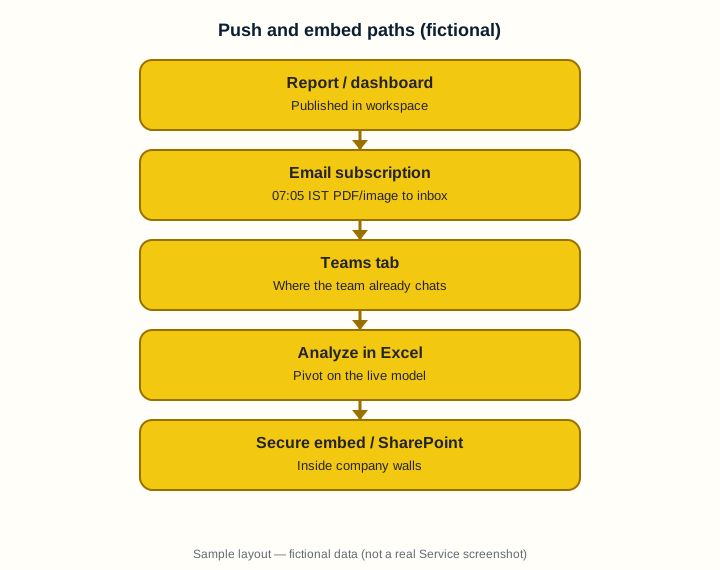
1. Email subscriptions that arrive before standup
Why: If the PDF lands after the 09:00 IST meeting, nobody reads it.
What: A subscription emails a report page, dashboard, or scorecard on a schedule (licence limits apply).
How — set a useful subscription:
Vertical steps (one under another)
- Open the report → Subscribe.
- Pick page, frequency (daily), time 07:05 IST, and recipients (yourself first).
- Choose PDF or image where offered; save.
- Confirm refresh finished before the subscription time.
- Add the city-manager security group only after a test mail looks right.
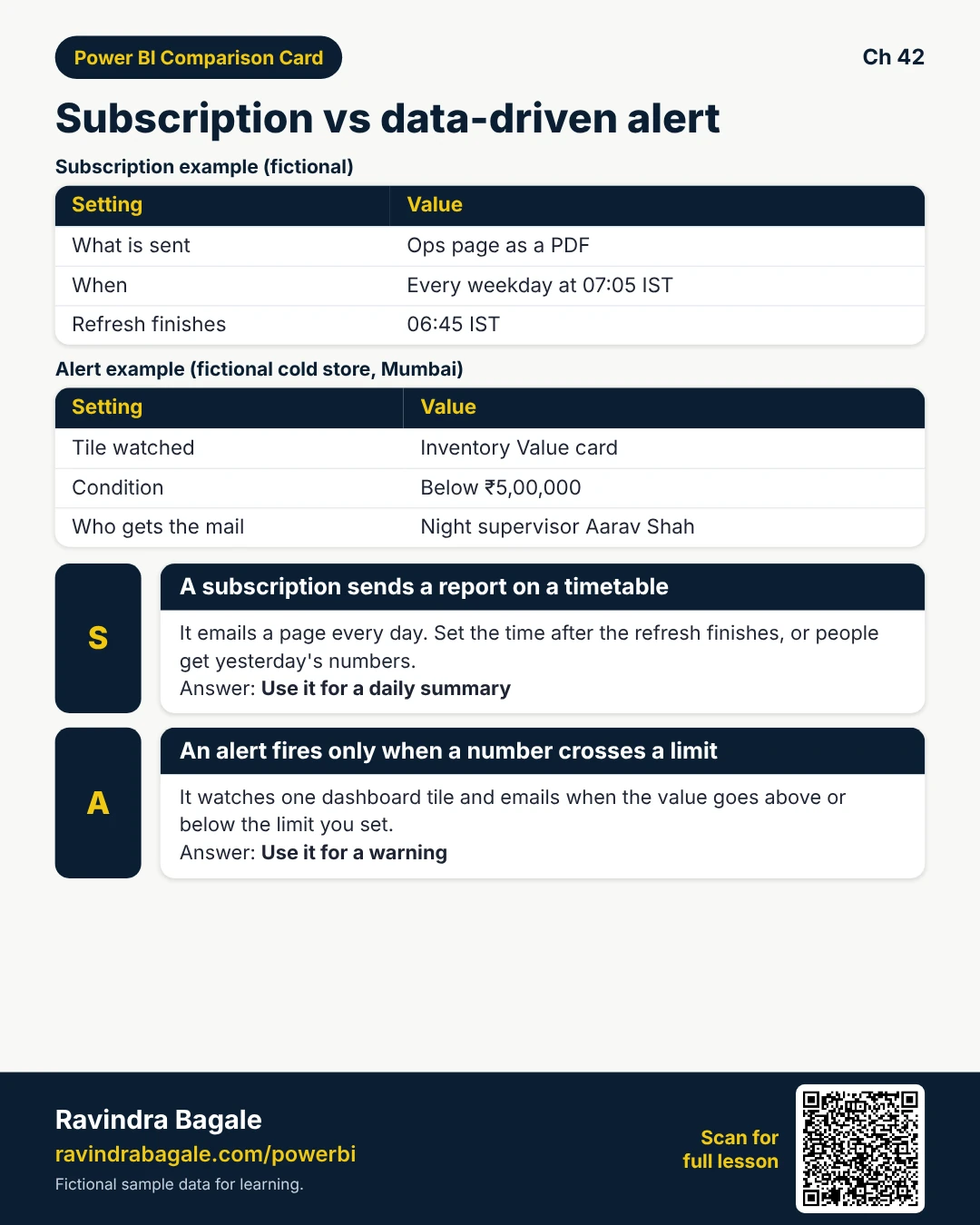
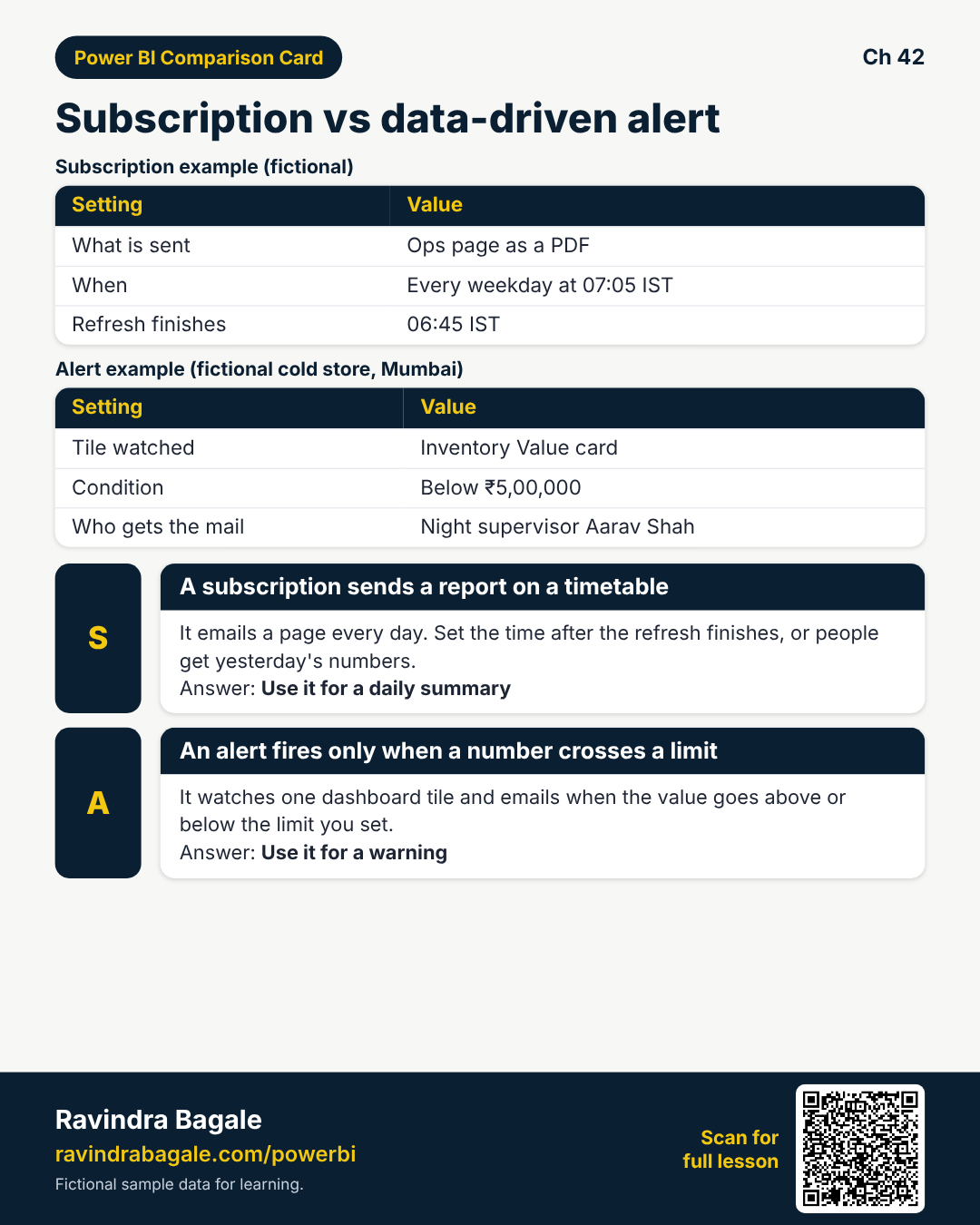
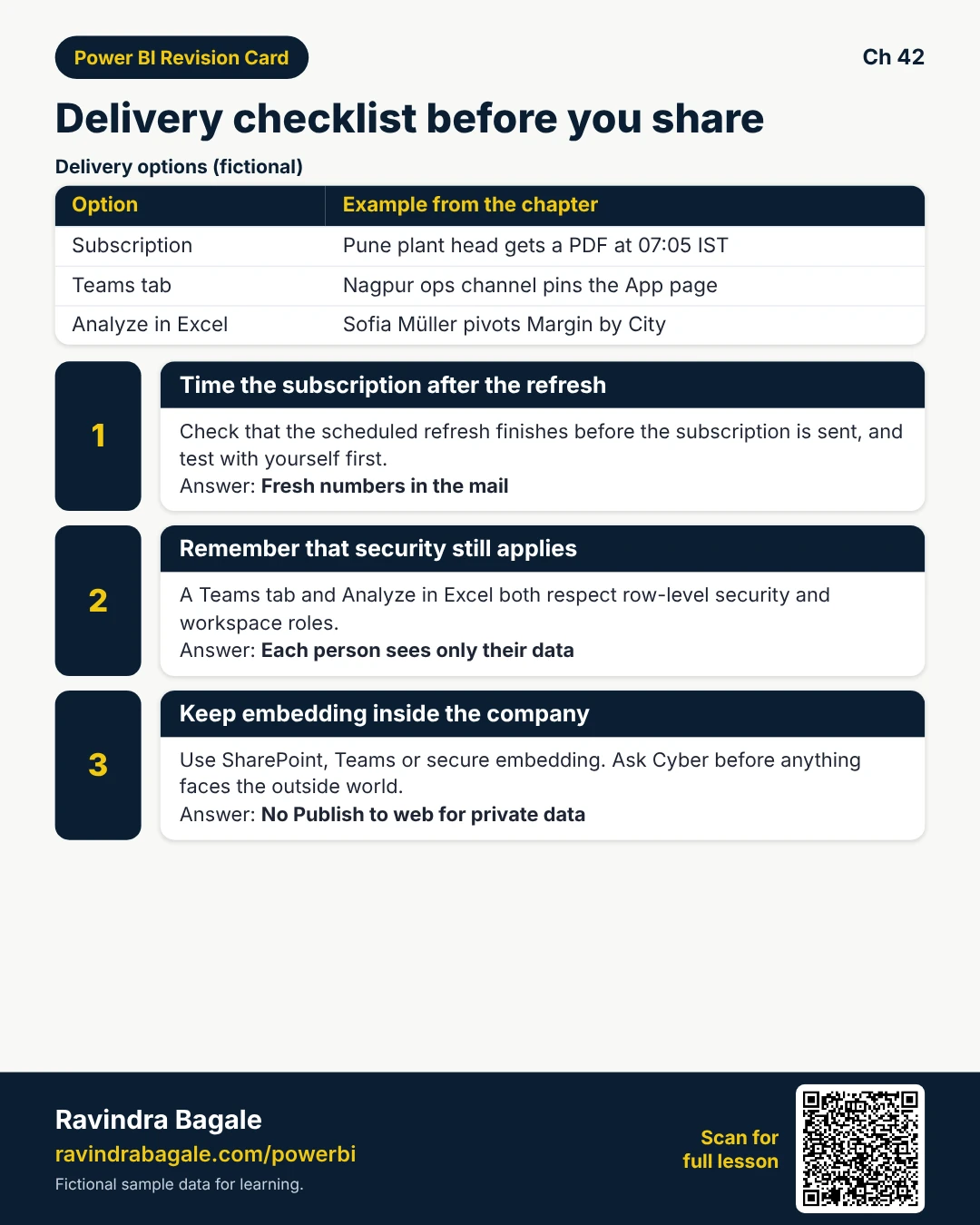
Tiny example: Pune plant head (fictional) gets Ops page PDF every weekday 07:05 IST — after 06:45 refresh.
Ravindra Bagale's Tip
Friends, subscription time must be after scheduled refresh — else yesterday’s numbers.
Ravindra Bagale's Tip – मराठी
मित्रांनो, subscription refresh नंतर असावी — नाहीतर कालचे आकडे.
Ravindra Bagale's Tip – हिंदी
दोस्तों, subscription refresh के बाद हो — नहीं तो कल के आंकड़े।
2. Data-driven alerts on dashboard cards
Why: You need a ping when refrigerated stock ₹ value drops under a floor — not another inbox PDF.
What: Alerts watch a dashboard tile (often a card) and email when above/below a threshold.
How — wire one alert:
Vertical steps (one under another)
- Pin the KPI card to a dashboard.
- On the tile … → Manage alerts.
- Set condition (below 500000), frequency, and recipients.
- Save; trigger a test if available.
- Document who owns the alert when people change roles.
Tiny example: Cold-store alert (fictional): InventoryValue card below ₹5,00,000 → mail to night supervisor Aarav.
Ravindra Bagale's Tip
Friends, alerts need a refreshed Import tile — a stuck refresh means a silent night.
Ravindra Bagale's Tip – मराठी
मित्रांनो, alerts ला refresh हवे — stuck refresh म्हणजे शांत रात्र.
Ravindra Bagale's Tip – हिंदी
दोस्तों, alerts को refresh चाहिए — stuck refresh यानी चुप रात।
3. Teams tab — report where chat already is
Why: Asking staff to leave Teams for another URL slows adoption.
What: You can add a Power BI tab to a Teams channel pointing at a report or App content.
How — add the tab:
Vertical steps (one under another)
- In the channel, + → Power BI.
- Pick workspace and report (or App).
- Name the tab “MH Ops — Today”.
- Confirm members have Power BI permission (RLS still applies).
- Pin the tab for the channel.
Tiny example: Nagpur ops channel (fictional) pins the App page — Raja still only sees Nagpur via RLS.
Ravindra Bagale's Tip
Friends, Teams does not bypass RLS or workspace roles — permissions still matter.
Ravindra Bagale's Tip – मराठी
मित्रांनो, Teams RLS/workspace permission वगळत नाही.
Ravindra Bagale's Tip – हिंदी
दोस्तों, Teams RLS/workspace permission नहीं हटाता।
4. Analyze in Excel
Why: Finance still lives in pivots — fight less, connect more.
What: Analyze in Excel gives a live connection to the semantic model (with permission).
How — open a live pivot:
Vertical steps (one under another)
- In Service, on the semantic model or report → Analyze in Excel.
- Open the workbook; sign in if asked.
- Build pivots on the model fields — do not paste static values as source of truth.
- Refresh to get latest Service data after model refresh.
- Remind users RLS still filters their pivots.
Tiny example: Controller Sofia Müller (fictional) pivots Margin by City on the shared model — same RLS as the App.
Ravindra Bagale's Tip
Friends, exporting a CSV snapshot is not the same as Analyze in Excel — snapshots go stale and skip RLS updates.
Ravindra Bagale's Tip – मराठी
मित्रांनो, CSV snapshot म्हणजे Analyze in Excel नव्हे — snapshots जुने पडतात.
Ravindra Bagale's Tip – हिंदी
दोस्तों, CSV snapshot Analyze in Excel नहीं — snapshots पुराने हो जाते हैं।
5. Embedding basics — stay inside the wall
Why: Publish to web is public. Most company data must never use it.
What: Secure options include embed for your organisation, SharePoint embed, and authenticated patterns — not anonymous public links.
How — choose a safe path:
Vertical steps (one under another)
- Prefer SharePoint / Teams / secure embed over Publish to web.
- Never Publish to web salary, patient, or customer phone data.
- For internal portals, embed with Azure AD user identity so RLS applies.
- Document which URL is external-facing — review with Cyber.
- When unsure, share App link with authentication instead.
Tiny example: Cyber (fictional) rejects public embed for dairy customer phones — App + groups wins.
Ravindra Bagale's Tip
Friends, if Cyber says no to public embed, that is the answer — use App + groups.
Ravindra Bagale's Tip – मराठी
मित्रांनो, Cyber नाही म्हणाले तर App + groups.
Ravindra Bagale's Tip – हिंदी
दोस्तों, Cyber ने मना किया तो App + groups।
6. Interview: push vs pull
Why: They ask how stakeholders get numbers without living in the Service.
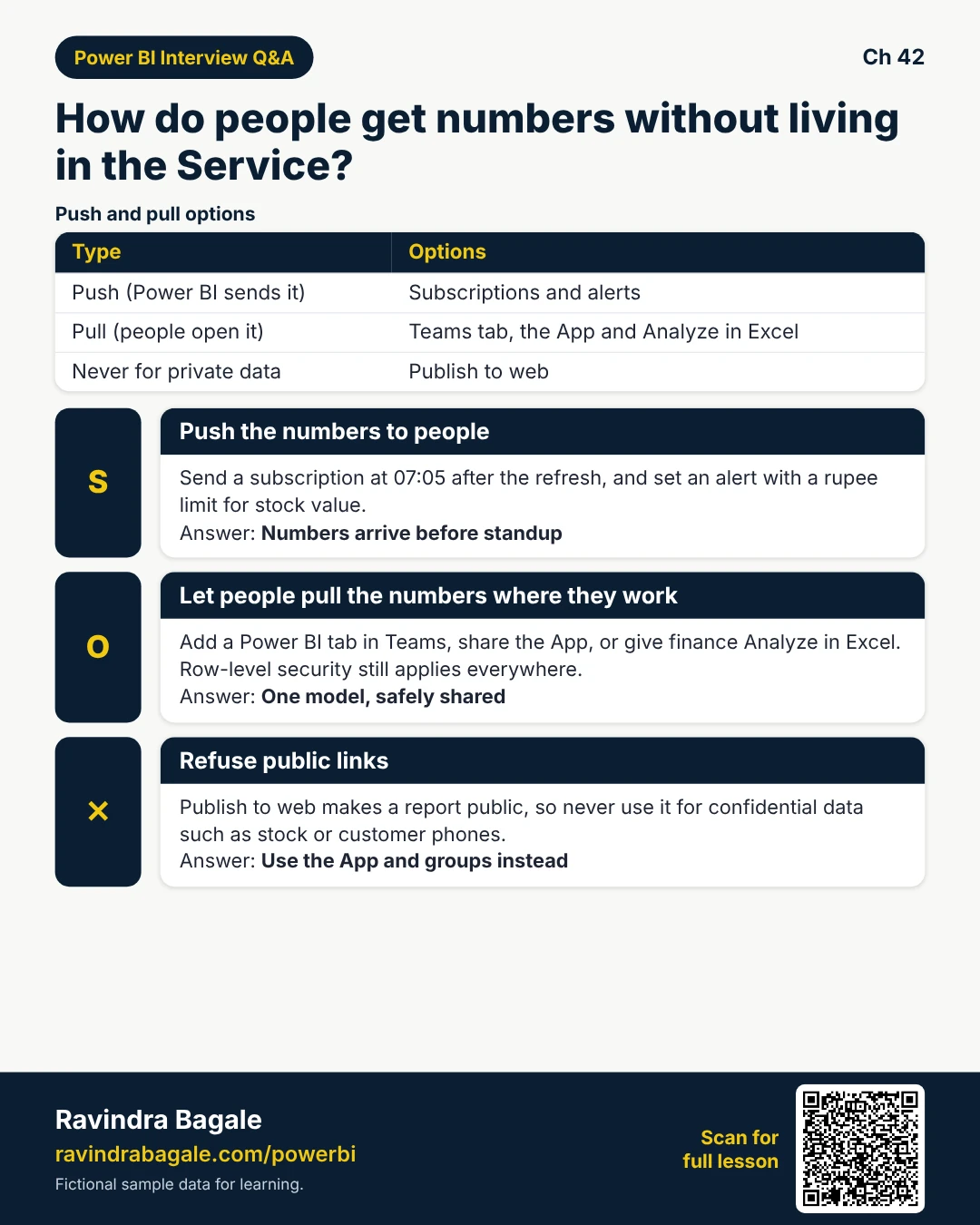
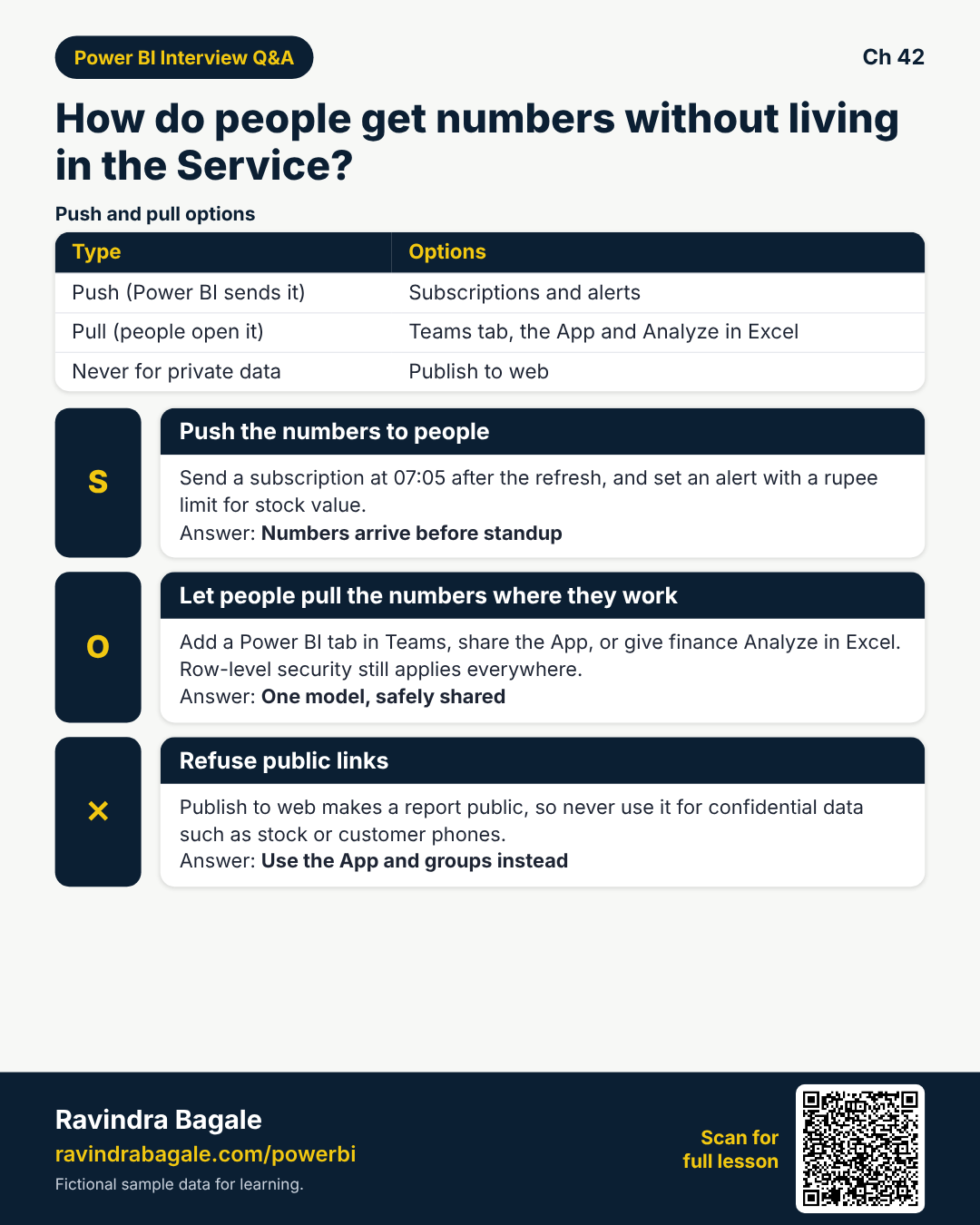
What: Push: subscriptions and alerts. Pull: Teams tab, App, Analyze in Excel. Never public web for private data.
How — practise the answer:
Vertical steps (one under another)
- Give one subscription example with time after refresh.
- Give one alert threshold example in ₹.
- Mention Teams tab + RLS.
- Say Analyze in Excel keeps one model.
- Reject Publish to web for confidential data.
Tiny example: Good line: “We push at 07:05 after refresh; we never Publish to web private stock.”
Ravindra Bagale's Tip
Friends, say push vs pull in one breath — interviewers love clear structure.
Ravindra Bagale's Tip – मराठी
मित्रांनो, push vs pull एका श्वासात सांगा — interviewers ला आवडते.
Ravindra Bagale's Tip – हिंदी
दोस्तों, push vs pull एक सांस में कहें — interviewers को पसंद है।
Quiz (5 questions)
1. Subscriptions should run:
2. Data-driven alerts need:
3. Teams Power BI tab:
4. Analyze in Excel is best when:
5. Publish to web is:
Practice tasks (12) — hints only, no full answers
- Task. Write a subscription plan: page, time IST, recipients.
Hint: section 1. - Task. Why test the mail before adding the whole group?
Hint: bad PDF blast. - Task. Design an alert for stock below ₹5,00,000.
Hint: section 2. - Task. List Teams tab steps for MH Ops channel.
Hint: section 3. - Task. Interview: does Teams bypass RLS? Answer clearly.
Hint: no. - Task. When is Analyze in Excel better than exporting CSV?
Hint: live + RLS. - Task. Name two safe embed homes vs Publish to web.
Hint: section 5. - Task. Draft a Cyber one-liner rejecting public embed.
Hint: confidential. - Task. Order: refresh 06:45, subscription 07:05, standup 09:00 — why?
Hint: order. - Task. Who should own an alert when the creator leaves?
Hint: document owner. - Task. Compare push (subscription) vs pull (App open).
Hint: section 6. - Task. Excel pivot still wrong city — what do you check?
Hint: RLS / permissions.
Ravi Sir's cards (Excel card style)
Standalone cards — no tip or photo sections. QR points to this lesson. Download PNG to revise offline.
Think like a professional
In a real tenant, rights and sharing are controlled by Fabric / Power BI admins. Always follow your company policy. This lesson uses fictional people and numbers so you can practise the ideas safely.