39.1 Scheduled Refresh, Incremental Refresh and Gateways
Chala mitrano — Monday 9 am panic ends when refresh is honest. We schedule 7:00 IST, use incremental where it fits, and pick the right gateway.
चला मित्रांनो — सोमवार सकाळचा panic तेव्हा संपतो जेव्हा refresh प्रामाणिक असतो. 7:00 IST schedule, जिथे जमेल तिथे incremental, आणि योग्य gateway.
चला मित्रों — सोमवार सुबह का panic तब खत्म जब refresh ईमानदार हो। 7:00 IST schedule, जहाँ फिट हो incremental, और सही gateway।
- Contrast Import copy with DirectQuery / Live for refresh.
- Set a scheduled refresh at 7:00 Asia/Calcutta and enable failure email.
- Explain incremental refresh with RangeStart / RangeEnd parameters.
- Choose personal vs standard on-premises data gateway.
- Check credentials, privacy levels and refresh history.
- Name three ways to make refresh cheaper and more reliable.
Start with a problem (fictional). Arjun Deshmukh (Nagpur) published the Blinkit-style MH model on Friday night. Monday at 09:05 IST the CFO opened the App — yesterday's GMV still showed. No gateway for the on-prem SQL box, credentials expired, and the full 18-month fact table reloaded every time. Arjun needs a 07:00 IST schedule, incremental policy, and a standard gateway the team can share.
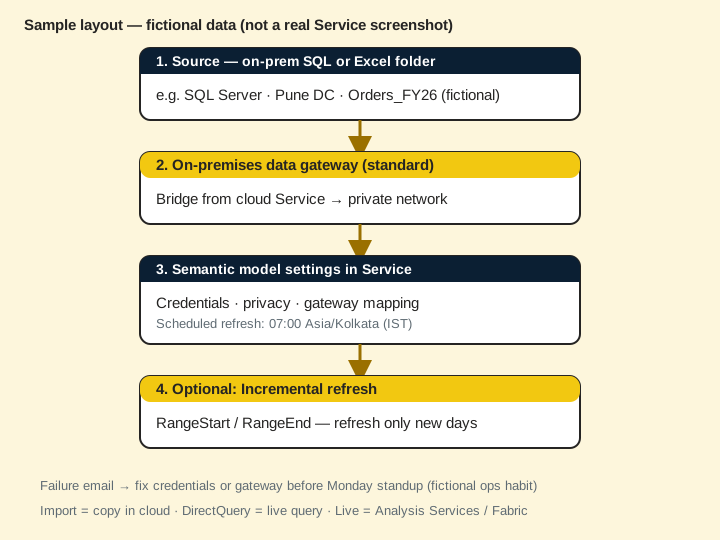
1. Import copy vs DirectQuery / Live
Why: Refresh only applies to Import (and some hybrid) copies. DirectQuery and Live ask the source at query time.
What: Import stores a copy in the semantic model — needs scheduled or manual refresh. DirectQuery / Live hit the source when someone opens a visual.
How — pick the mode before you promise 7 am numbers:
Vertical steps (one under another)
- Import — great for curated star schemas and fast dashboards; you own freshness.
- DirectQuery — source is the truth every click; watch latency and source load.
- Live (Analysis Services / some Fabric) — model lives elsewhere; refresh story differs.
Tiny example: Arjun's MH sales fact is Import (fictional 2.4M rows). The live ERP DirectQuery page is separate — city managers use the Import App at 7:15 IST.
Ravindra Bagale's Tip
Friends, never say my DirectQuery needs scheduled refresh. Import needs the schedule. DirectQuery needs a healthy source and network.
Ravindra Bagale's Tip – मराठी
मित्रांनो, DirectQuery ला scheduled refresh लागतो असे कधी म्हणू नका. Import ला schedule लागतो. DirectQuery ला निरोगी source आणि network.
Ravindra Bagale's Tip – हिंदी
दोस्तों, DirectQuery को scheduled refresh लगता है ऐसा कभी न कहें। Import को schedule लगता है। DirectQuery को स्वस्थ source और network।
2. Scheduled refresh, time zone (UTC+05:30), failure emails
Why: India teams plan around IST. A UTC-only mental model causes 5:30 surprises.
What: In the Service, open the semantic model — Refresh — Schedule. Pick times in your tenant's configured zone; label Asia/Calcutta (UTC+05:30) in your runbook.
How — set a morning refresh (concept):
Vertical steps (one under another)
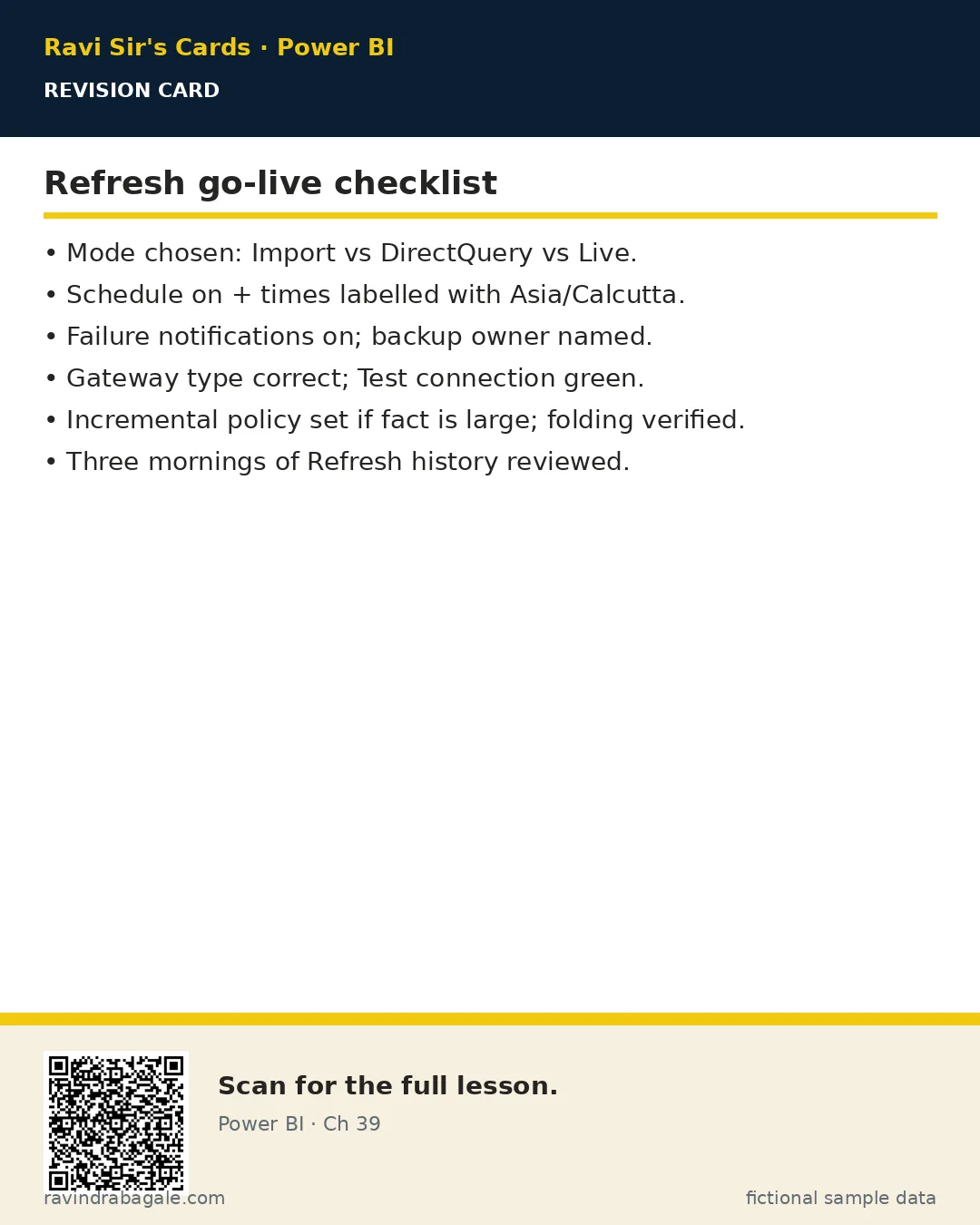
- Semantic model settings — Scheduled refresh — On.
- Add 07:00 (and optionally 13:00) — confirm the time zone shown.
- Turn on refresh failure notifications to Arjun (and a backup owner).
- After publish week one: open Refresh history every morning for three days.
Tiny example: Schedule 07:00 Asia/Calcutta. Fictional GMV ₹18.6L is ready before the 09:00 standup.
Ravindra Bagale's Tip
Friends, put the zone name in the runbook: Asia/Calcutta (UTC+05:30). Screenshots without a zone confuse night-shift vendors.
Ravindra Bagale's Tip – मराठी
मित्रांनो, runbook मध्ये zone लिहा: Asia/Calcutta (UTC+05:30). Zone नसलेले screenshot रात्रीच्या vendor ला गोंधळ करतात.
Ravindra Bagale's Tip – हिंदी
दोस्तों, runbook में zone लिखें: Asia/Calcutta (UTC+05:30)। Zone रहित screenshot रात की vendor टीम को भ्रमित करते हैं।
3. Incremental refresh with RangeStart / RangeEnd
Why: Reloading 18 months every night wastes capacity and fails more often.
What: Incremental refresh uses DateTime parameters RangeStart and RangeEnd in Power Query, plus a policy (e.g. store 24 months, refresh last 7 days).
How — set up the pattern (concept):
Vertical steps (one under another)
- In Desktop Power Query, create RangeStart / RangeEnd parameters (Date/Time).
- Filter the fact date column with those parameters (foldable to the source).
- In the model, set Incremental refresh policy on the fact table.
- Publish to a capacity that supports incremental (Premium / Fabric / PPU as per your org).
- First refresh may do a historical load — plan off-peak.
Tiny example: Policy: archive 24 months, refresh last 5 days. Monday night only touches recent Blinkit-style order days — not the whole 2024 archive.
Ravindra Bagale's Tip
Friends, incremental needs query folding. If Power Query breaks fold, you still pull everything. Check folding before you celebrate.
Ravindra Bagale's Tip – मराठी
मित्रांनो, incremental ला query folding हवे. Fold तुटले तर सगळेच येते. Celebration आधी folding तपासा.
Ravindra Bagale's Tip – हिंदी
दोस्तों, incremental को query folding चाहिए। Fold टूटा तो सब आ जाता है। जश्न से पहले folding जाँचें।
4. On-premises data gateway (personal vs standard)
Why: Cloud Service cannot see your office SQL without a bridge.
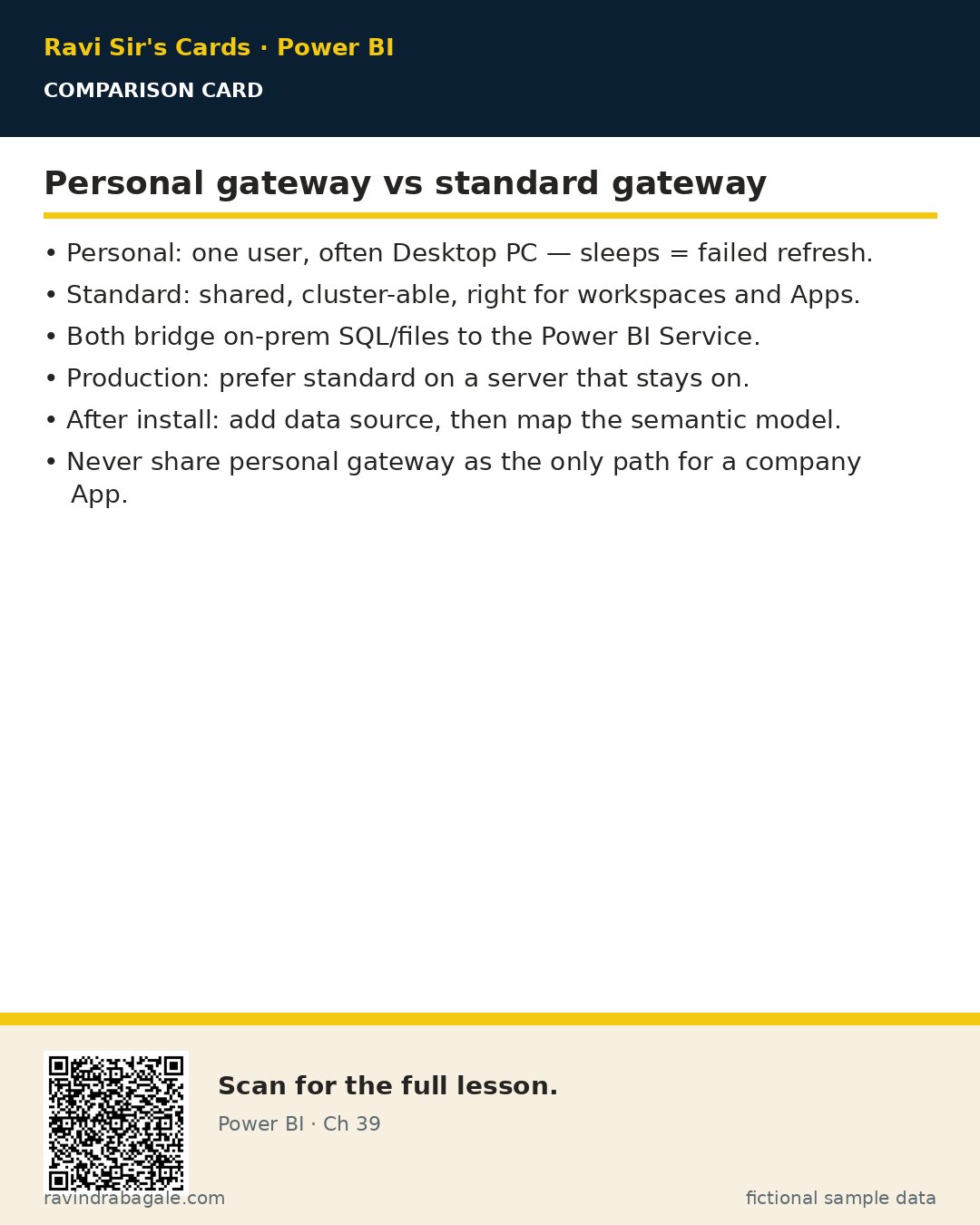
What: An on-premises data gateway runs inside your network. Personal mode is for one user's refresh. Standard (enterprise) mode is shared, cluster-able, and right for team workspaces.
How — choose the gateway type:
Vertical steps (one under another)
- Only you, My workspace experiments? Personal can work — still fragile if your PC sleeps.
- Team App + shared workspace? Standard gateway on a server that stays on.
- Install, sign in, add a data source (SQL) with the same connection string shape as Desktop.
- In the semantic model, map the dataset credentials to that gateway source.
Tiny example: Standard gateway on a fictional Pune VM serves Sales MH. Arjun's laptop sleep no longer stops Monday refresh.
Ravindra Bagale's Tip
Friends, personal gateway on a laptop is a Monday trap. Production Apps deserve a standard gateway on a always-on host.
Ravindra Bagale's Tip – मराठी
मित्रांनो, laptop वरील personal gateway सोमवारचा सापळा आहे. Production Apps साठी always-on host वर standard gateway.
Ravindra Bagale's Tip – हिंदी
दोस्तों, laptop पर personal gateway सोमवार का जाल है। Production Apps के लिए always-on host पर standard gateway।
5. Credentials, privacy levels and refresh history
Why: Most refresh failures are auth, privacy, or gateway mapping — not DAX.
What: Store credentials in the Service/gateway. Privacy levels (Private / Organizational / Public) block unsafe merges across sources.
How — debug a failed refresh:
Vertical steps (one under another)
- Open Refresh history — read the error line (credential, gateway, timeout, privacy).
- Fix credentials on the gateway data source — then Test connection.
- If privacy error, align levels carefully (never set everything Public to silence it).
- Re-run refresh once; confirm green in history.
Tiny example: Error: credentials invalid. Arjun updates SQL password on the standard gateway — 07:00 run succeeds next day.
6. Making refresh cheaper and more reliable
Why: Capacity minutes and failure emails both cost trust.
What: Smaller models, incremental windows, off-peak schedules, and fewer unused tables beat heroic full loads.
How — apply three habits:
Vertical steps (one under another)
- Remove unused columns/tables before publish.
- Prefer incremental on large facts; keep dimensions full-load if small.
- Stagger schedules so ten models do not all start at 07:00:00.
- Watch Refresh history weekly — silent yellow streaks are debt.
Tiny example: Mei Lin (Singapore, fictional SaaS) moves three heavy models to 06:15 / 06:35 / 06:55 SGT-equivalent slots so capacity stays calm.
Ravindra Bagale's Tip
Friends, a green refresh at 07:02 IST is a product feature. Treat it like an SLA, not a hope.
Ravindra Bagale's Tip – मराठी
मित्रांनो, 07:02 IST ला green refresh हे product feature आहे. SLA सारखे वागा, आशेसारखे नाही.
Ravindra Bagale's Tip – हिंदी
दोस्तों, 07:02 IST पर green refresh एक product feature है। SLA की तरह देखें, आशा की तरह नहीं।
7. Worked example — three industries
All numbers are fictional sample data.
Quick commerce (Maharashtra)
Why: City managers open the App at 09:00 IST — data must refresh at 07:00.
- Import model + standard gateway to on-prem SQL.
- Incremental: store 18 months, refresh last 3 days.
- Schedule 07:00 Asia/Calcutta; failure mail to Arjun + Priya.
| Day | Rows refreshed (fictional) | Status |
|---|---|---|
| Mon | 1,12,000 | Completed 07:08 |
| Tue | 98,400 | Completed 07:06 |
| Wed | — | Failed — credential (fixed same day) |
About this data: This table uses columns: Day, Rows refreshed (fictional), Status. This table uses columns: Wrong, Better. Values shown are the lesson examples already on this page (not a new dataset).
Hospital network
Dr. Amina Yusuf schedules bed-occupancy Import at 05:30 local; clinical DirectQuery pages stay live for ward leads.
Bank branch analytics (fictional)
Carlos Mendes uses incremental on transactions and a standard gateway cluster — never a personal gateway on a teller PC.
Recap. Import needs a schedule. Label Asia/Calcutta. Incremental + folding for big facts. Standard gateway for teams. Read refresh history.
Common mistakes
| Wrong | Better |
|---|---|
| Personal gateway on a sleeping laptop | Standard gateway on always-on host |
| Full load of multi-year fact nightly | Incremental with RangeStart / RangeEnd |
| Ignoring time zone | Document Asia/Calcutta (UTC+05:30) |
| No failure email | Notify owner + backup |
Quiz (5 questions)
1. Scheduled refresh mainly applies to:
2. For a shared workspace App, prefer:
3. RangeStart and RangeEnd are used for:
4. Asia/Calcutta is offset from UTC by:
5. First place to look after a failed night refresh:
Practice tasks (12) — hints only, no full answers
- Task. Write when Import needs a schedule and when DirectQuery does not.
Hint: section 1. - Task. Draft a runbook line for 07:00 Asia/Calcutta refresh with failure mail.
Hint: include zone label. - Task. Explain RangeStart / RangeEnd in two sentences.
Hint: parameters + fact filter. - Task. Personal vs standard gateway — three bullet comparison.
Hint: section 4. - Task. List four common refresh failure causes.
Hint: credential, gateway, privacy, timeout. - Task. Propose an incremental policy for 24 months history, last 7 days hot.
Hint: store vs refresh. - Task. Why does query folding matter for incremental?
Hint: tip in section 3. - Task. Stagger three model schedules after 07:00 IST — write the times.
Hint: section 6. - Task. Interview 45s: how do you keep Monday numbers fresh?
Hint: schedule + gateway + history. - Task. Hospital case: which pages stay DirectQuery and why?
Hint: worked example. - Task. What do you check if Test connection fails on the gateway?
Hint: string, auth, firewall. - Task. Name two capacity/licence constraints that affect incremental.
Hint: Premium/Fabric/PPU per org.
Ravi Sir's cards (Excel card style)
Standalone cards — no tip or photo sections. QR points to this lesson. Download PNG to revise offline.
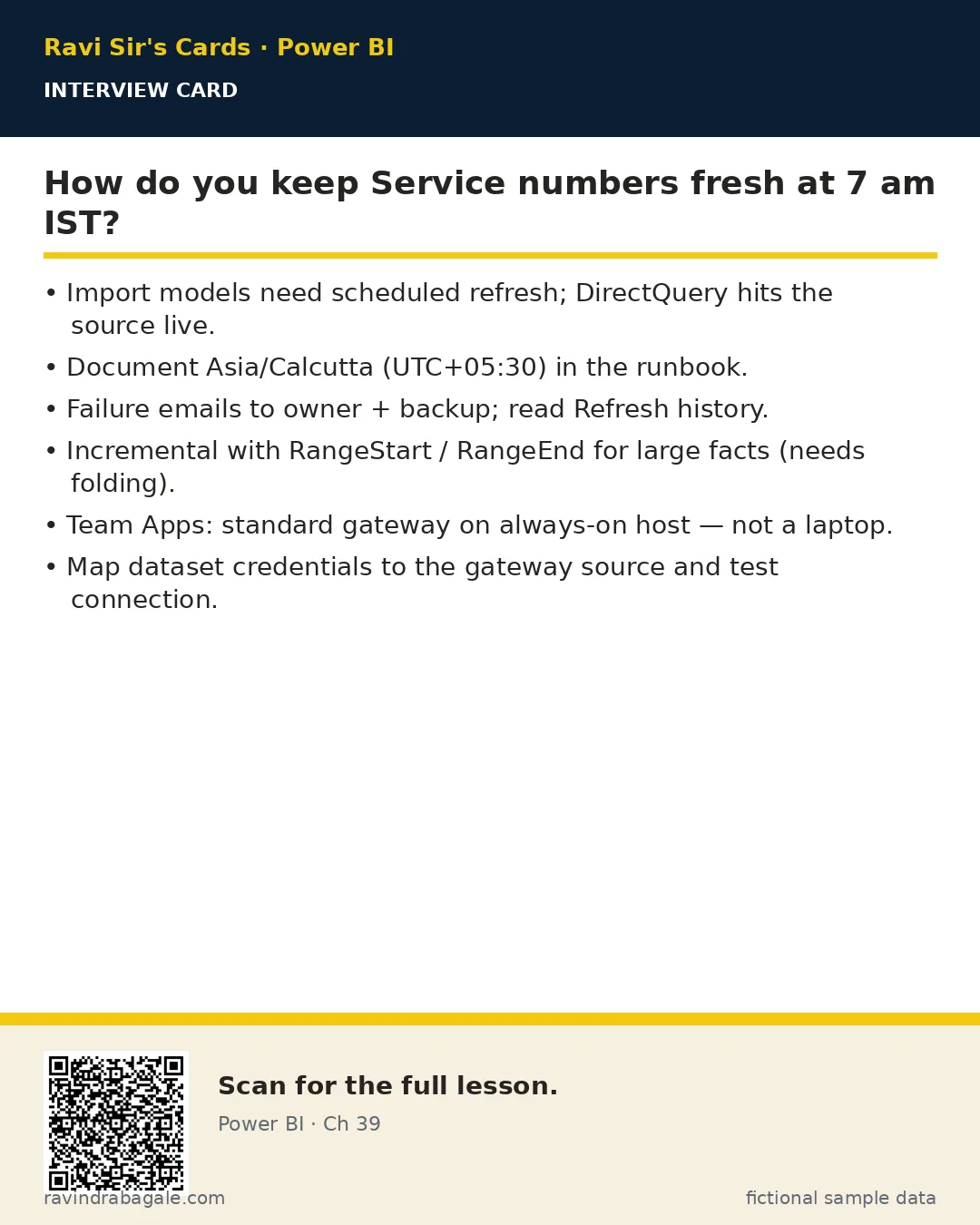
Think like a professional
In a real tenant, rights and sharing are controlled by Fabric / Power BI admins. Always follow your company policy. This lesson uses fictional people and numbers so you can practise the ideas safely.